Grand Theft Auto V
GTA 5 'HOW TO TRANSFER SAVE FILE' video thumbnail with a grey Grand Theft Auto V Legacy logo and an arrow pointing to the colored Enhanced logo over the Los Santos skyline

How To Transfer Your Story Mode Save To Enhanced

Move your GTA 5 Story Mode progress from Legacy to Enhanced on PC by uploading the save in Legacy and downloading it in Enhanced. The download works only once per account, so check the requirements and the save details first.

Date created:
November 26, 2026
Last updated:
November 26, 2026 7:50 PM
GTA 5 'HOW TO TRANSFER SAVE FILE' video thumbnail with a grey Grand Theft Auto V Legacy logo and an arrow pointing to the colored Enhanced logo over the Los Santos skyline

How To Transfer Your GTA 5 Story Mode Save

To move your Story Mode progress from GTA 5 Legacy to GTA 5 Enhanced on PC, upload the save in Legacy through the pause menu ("Game", then "Upload Save Game"), then download it in Enhanced ("Game", then "Download Save Game"). The save goes through your Rockstar Games account, so there are no files to copy by hand.

The download into Enhanced works only once per account. Until then you can upload as often as you like, so pick the save you really want to keep first.

Requirements

  • GTA 5 on PC. Owning the game on Steam, Epic Games or the Rockstar Games Launcher gives you both Legacy and Enhanced.
  • GTA 5 Legacy installed, since the upload can only be started from inside Legacy.
  • A Rockstar Games account linked to the PC platform account you play on (Steam, Epic or Rockstar).
  • An internet connection while uploading and downloading.
  • A save with legitimate progress. Rockstar says profiles may not be eligible because of account suspensions, bans or illegitimate or insufficient progress.

Note: This only works within PC. Saves cannot be moved from console to PC or from PC to console this way, and Rockstar has a separate process for moving PS4 and Xbox One saves to PS5 and Xbox Series X|S.

Step 1: Upload Your Save In GTA 5 Legacy

Start Grand Theft Auto V Legacy from your library and load into Story Mode.
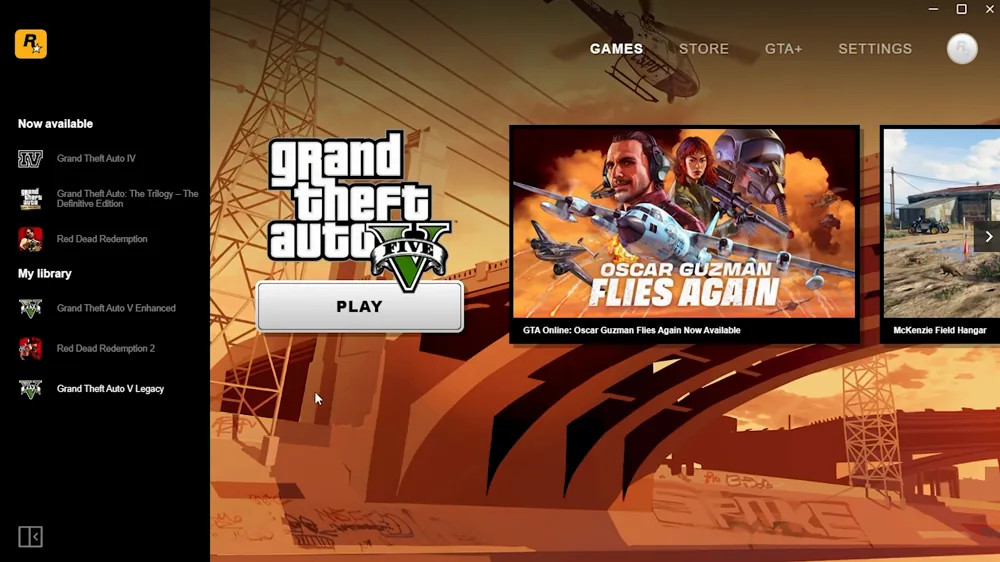
Rockstar Games Launcher with Grand Theft Auto V Legacy selected in My Library and the Play button
Start GTA 5 Legacy From The Launcher
  1. Open the pause menu (Esc).
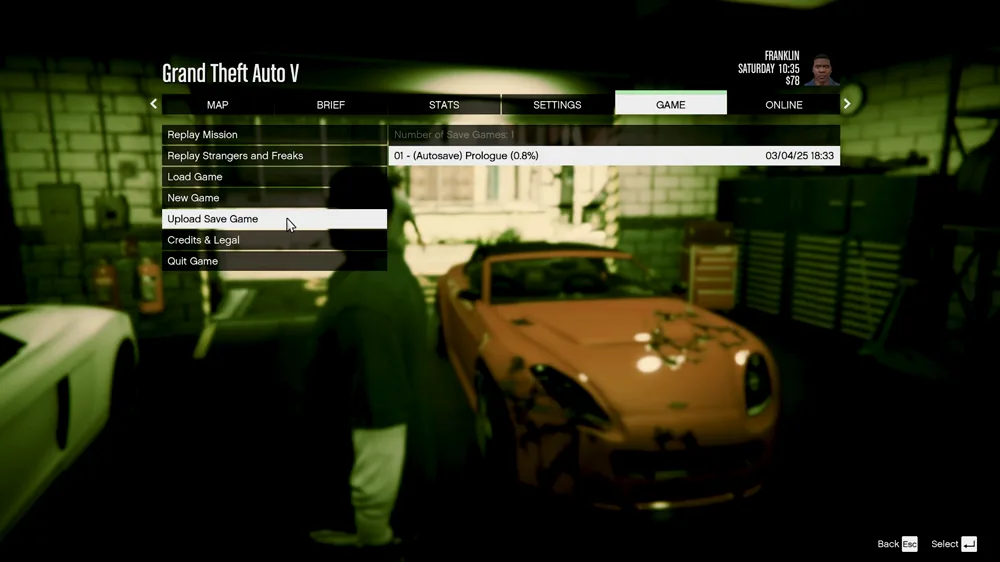
  2. Go to the "Game" tab and select "Upload Save Game".
  3. Pick the save slot you want to move. The list shows the mission name, completion percentage and date of each save.
  4. Confirm the alert to start the upload.
GTA 5 Legacy pause menu Game tab with Upload Save Game selected and the save slot list
Pause Menu, Game, Upload Save Game
GTA 5 alert asking to confirm the upload of the selected Story Mode save to the Rockstar Games account
Confirm The Upload Alert

When the upload is done, a message confirms it reached your Rockstar Games account. Depending on the size of the save and how busy the servers are, this can take a little while.

You can repeat this step as many times as you want before downloading. Every new upload replaces the previous one, which is handy if you finish another mission first. Uploaded saves stay available for 90 days. After that they may be removed and you will need to upload again.

Step 2: Download The Save In GTA 5 Enhanced

Close Legacy and start Grand Theft Auto V Enhanced. There are two ways to download the save.
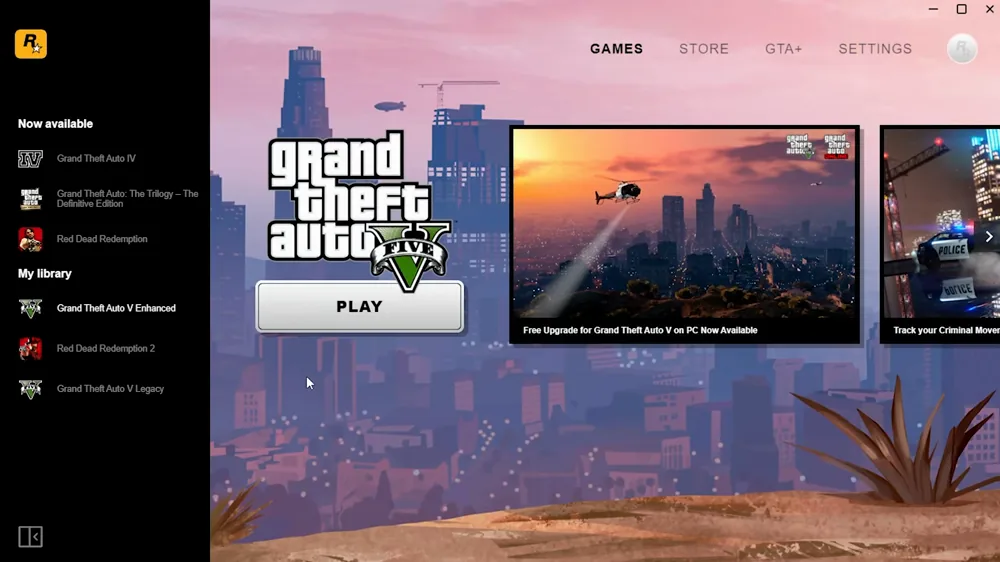
Rockstar Games Launcher with Grand Theft Auto V Enhanced selected and the Play button
Now Start GTA 5 Enhanced

From The Pause Menu

  1. Load into Story Mode and open the pause menu.
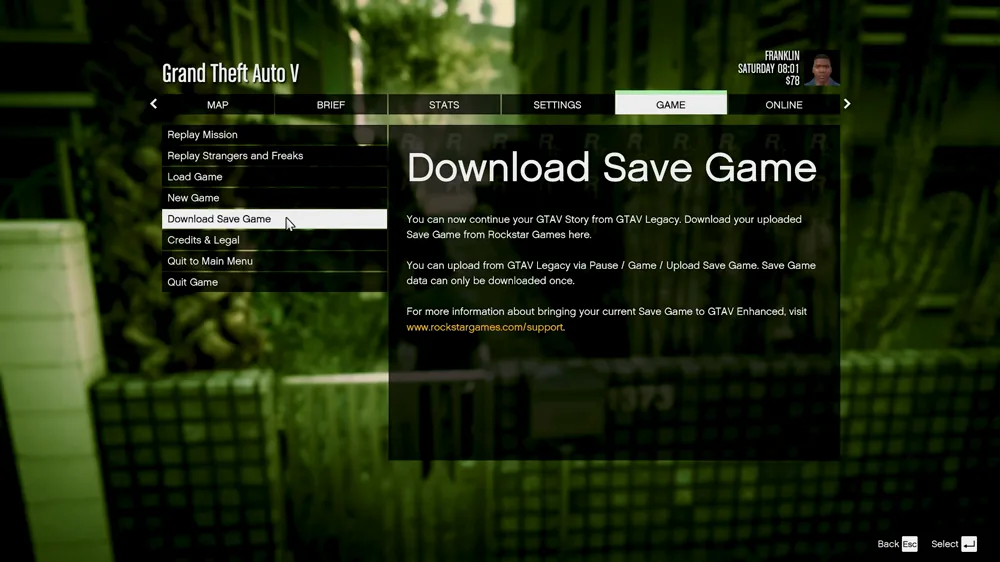
  2. Go to the "Game" tab and select "Download Save Game".
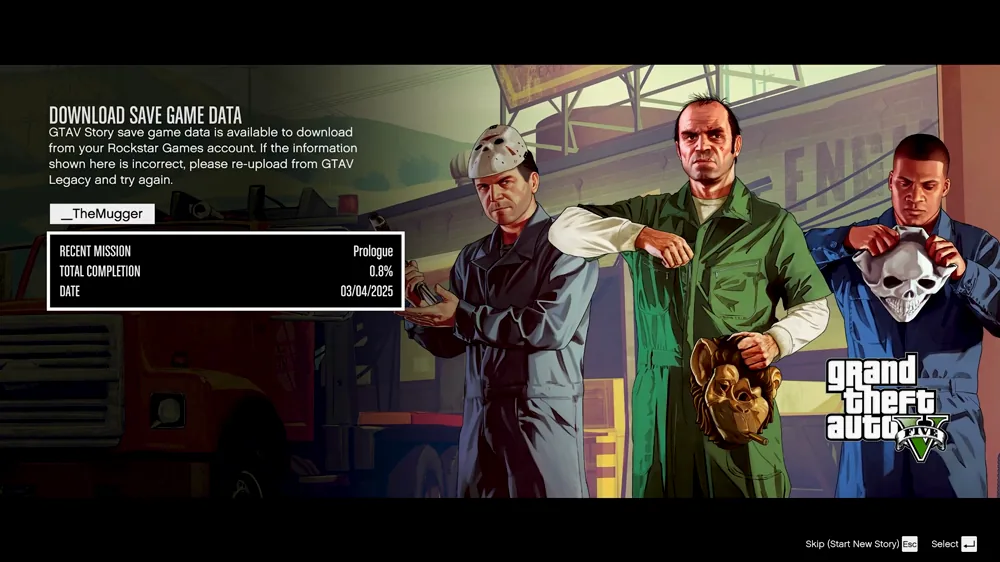
  3. Check the save details on the next screen and confirm the alerts.
GTA 5 Enhanced pause menu Game tab with Download Save Game selected and its description
Pause Menu, Game, Download Save Game
GTA 5 Enhanced Download Save Game Data screen showing the uploaded save's last mission, completion and date
Check The Save Details Before Downloading

The details screen shows your last mission, total completion and the upload date. If anything looks wrong, go back to Legacy and upload the right save before you continue, since the download cannot be repeated.

GTA 5 Enhanced alert warning that only one save can be downloaded per account
The One Download Per Account Warning

Downloading ends your current Enhanced session, so anything unsaved there is lost. If you have no free save slots, your oldest manual save is overwritten.

From The Story Tab On The Landing Page

If you have never played Story Mode in Enhanced, select the "Story" tab on the landing page when the game starts. When an uploaded save is available, an alert asks if you want to download it. This route is not offered when you already have Story Mode saves in Enhanced, so use the pause menu in that case.

Either way, a "Success" screen confirms the download and the game then loads your save.
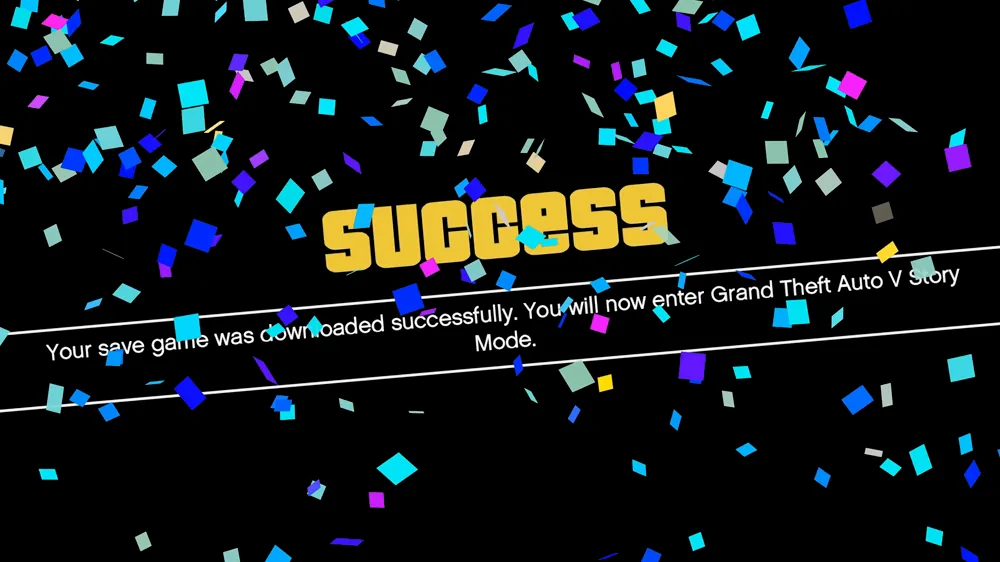
GTA 5 Enhanced Success screen confirming the Story Mode save was downloaded
The Save Downloaded Successfully

Once Per Account: What That Means

As soon as one save has been downloaded into Enhanced, no further Story Mode migrations are possible on that Rockstar Games account. If you go back to Legacy and try to upload again, the game tells you that a save has already been migrated and you are not eligible to upload another one.

GTA 5 Legacy message saying a save was already migrated to Enhanced and no other save can be uploaded
Only One Save Can Be Migrated

Your Legacy save is not deleted, and you can keep playing it. However, nothing you do in Legacy after the migration carries over to Enhanced, as the two versions are not synced.

What Does Not Carry Over

  • Legacy progress after the migration: it stays in Legacy only.
  • GTA Online: your Online character is migrated separately, from the "Online" option in Enhanced. Moving the Story Mode save does not move it.
  • Console saves: PlayStation and Xbox saves cannot be brought to PC.
  • Mods: mods and trainers are not part of the save, so they stay in your Legacy folder. A save made with mods may also fail Rockstar's eligibility check.
  • Active cheats: cheats are not saved. The same PC cheat words work in both versions, see All Cheats For PC, PlayStation And Xbox.

If The Option Is Missing Or The Transfer Fails

  • "Upload Save Game" is missing in Legacy: check that the game is online and signed in to your Rockstar Games account. Some players only got the option after starting GTA Online in Legacy once and accepting Rockstar's Online Policies there.
  • "Not eligible to upload another save game": a save from this account has already been downloaded into Enhanced, so the one-time migration is used up.
  • Nothing to download in Enhanced: make sure you are signed in to the same Rockstar Games account that uploaded the save, and that the upload finished with a confirmation message. Saves older than 90 days may have been removed, so upload again.
  • The landing page shows no save: you already have Enhanced Story Mode saves, so use "Download Save Game" in the pause menu instead.
  • The profile is not eligible: this happens with suspended or banned accounts and with saves Rockstar considers illegitimate. Only Rockstar Support can check this.

Note: Before you start, back up your Legacy save folder (Documents\Rockstar Games\GTA V\Profiles). The transfer does not touch it, but a copy costs nothing and protects your progress if anything goes wrong.
0

Check out the YouTube video covering this guide

Grand Theft Auto V playlist

Subscribe to our YouTube channel

Want to find even more of our content? By subscribing to our YouTube channel, you can make sure to get access to our newest guides.

SUBSCRIBE
info icon
URL copied to clipboard!