Oops! Something went wrong while submitting the form.


Install Red Dead Redemption 2 mods on PC with Lenny's Mod Loader and Script Hook RDR2, on Steam or the Rockstar Games Launcher. Covers manual installs, switching back for Red Dead Online, removing mods and common errors.
Red Dead Redemption 2 on PC has one of the biggest modding scenes of any Rockstar game. Trainers, new vehicles, unlocked interiors and faster travel can make a second or third playthrough feel quite different.
Almost every mod runs on two free tools: Lenny's Mod Loader (LML) and Script Hook RDR2. Once both are in the game folder, most mods are a matter of copying one or two files.
Note: Mods are for Story Mode only. Script Hook RDR2 closes the game when you go into Red Dead Online, and playing online with modified files can get your account banned. The Switch mod covered further down clears the game folder before you play online.
This guide covers both the Steam and the Rockstar Games Launcher version. The steps are the same, only the way you open the game folder differs.
Download both tools from their official pages before you start. Avoid reuploaded copies, since outdated files are the most common reason mods stop working.
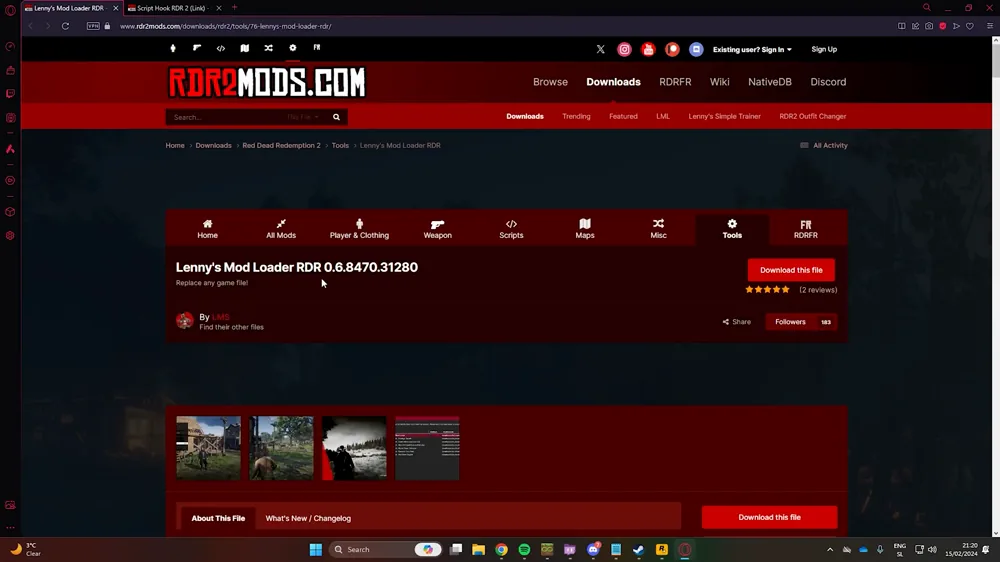
Lenny's Mod Loader lets mods replace or add game files without touching the original archives. Open the Lenny's Mod Loader page on rdr2mods.com and click on "Download this file". The current version is 0.6.8470.31280.
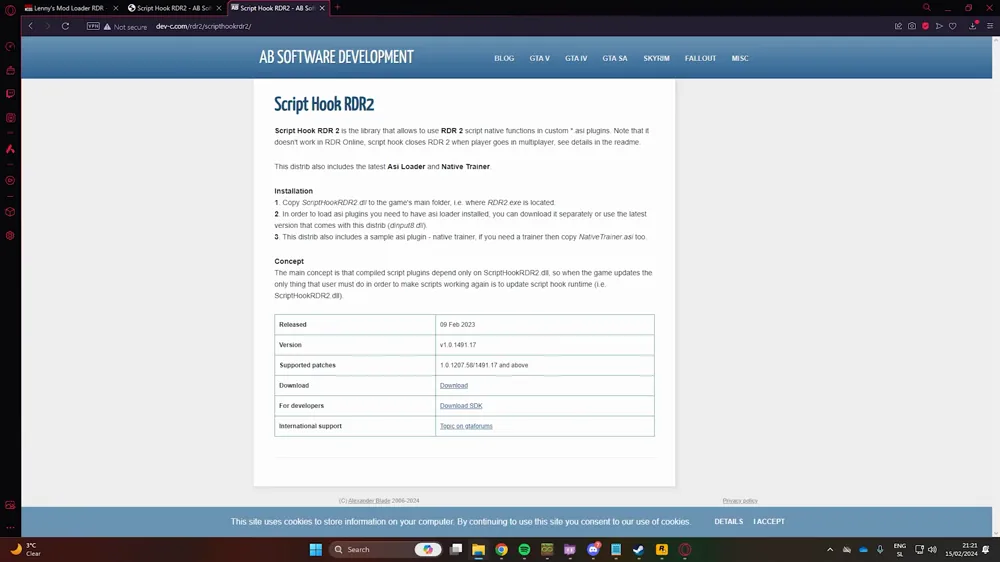
Script Hook RDR2 is what lets the game load .asi script mods such as trainers. Download it from Alexander Blade's Script Hook RDR2 page by clicking on "Download" in the table. The current version is v1.0.1491.17, and it also contains an ASI loader (dinput8.dll) and a small Native Trainer.
Note: If the original Script Hook throws errors on your build, ScriptHookRDR2 V2 on Nexus Mods is a drop-in replacement made for game build 1491.50. Popular mods like Rampage Trainer work with either one.
Every install step below copies files into the game's root folder, the one that holds RDR2.exe. Keep this folder open in a second File Explorer window, since you will use it a lot.
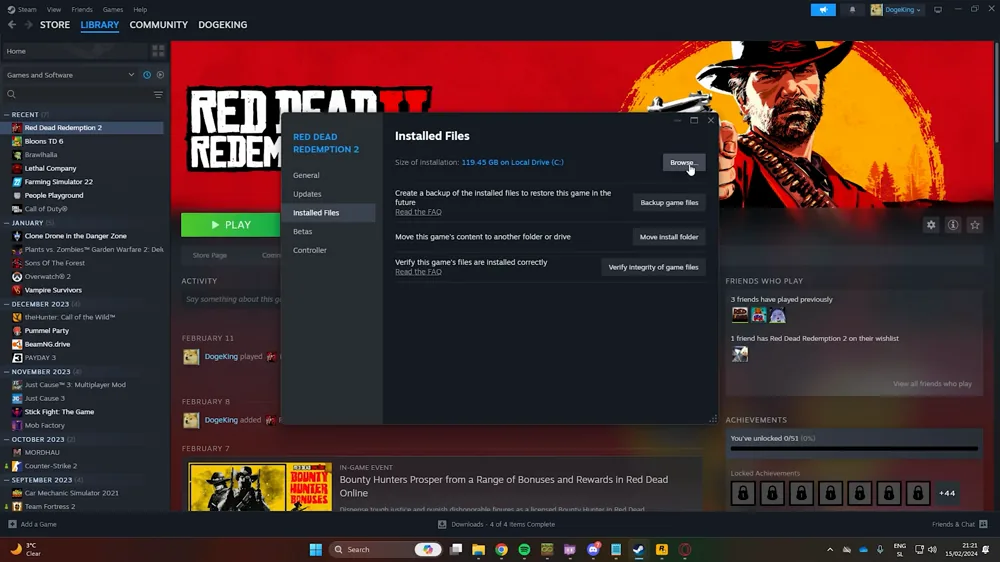
Right-click on Red Dead Redemption 2 in your library and select "Properties". Go to "Installed Files" and click on "Browse". By default the folder is in Program Files (x86)\Steam\steamapps\common\Red Dead Redemption 2.
Open the launcher, click on "Settings" and pick Red Dead Redemption 2 under "My installed games". Next to "View installation folder", click on "Open". The default path is Program Files\Rockstar Games\Red Dead Redemption 2.
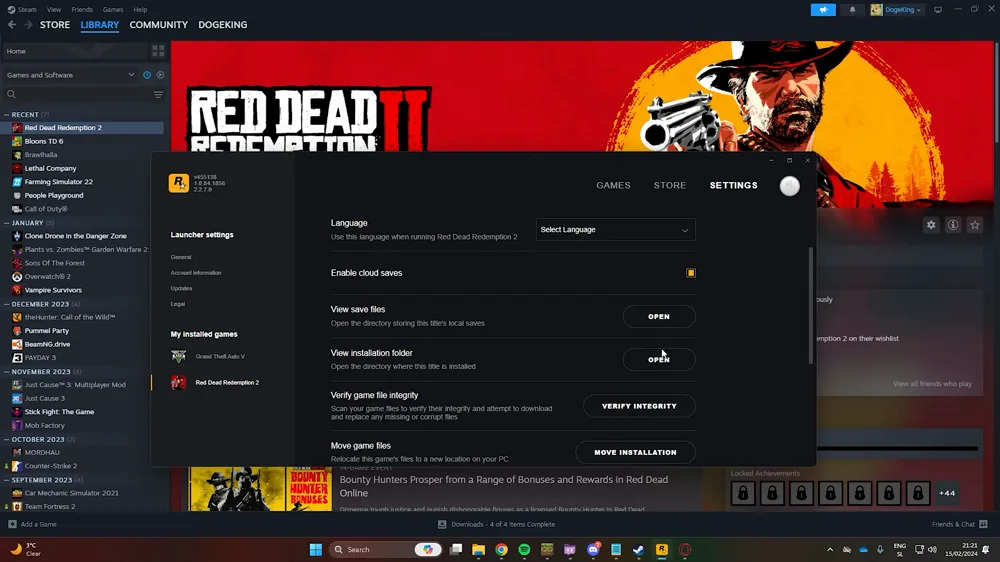
Extract the downloaded LML archive and open the "ModLoader" folder inside it. Select everything in it (vfs.asi, lml.ini, the two ModManager files, NLog.dll and the lml folder) and copy it into the game folder. If Windows asks for administrator permission, click on "Continue".
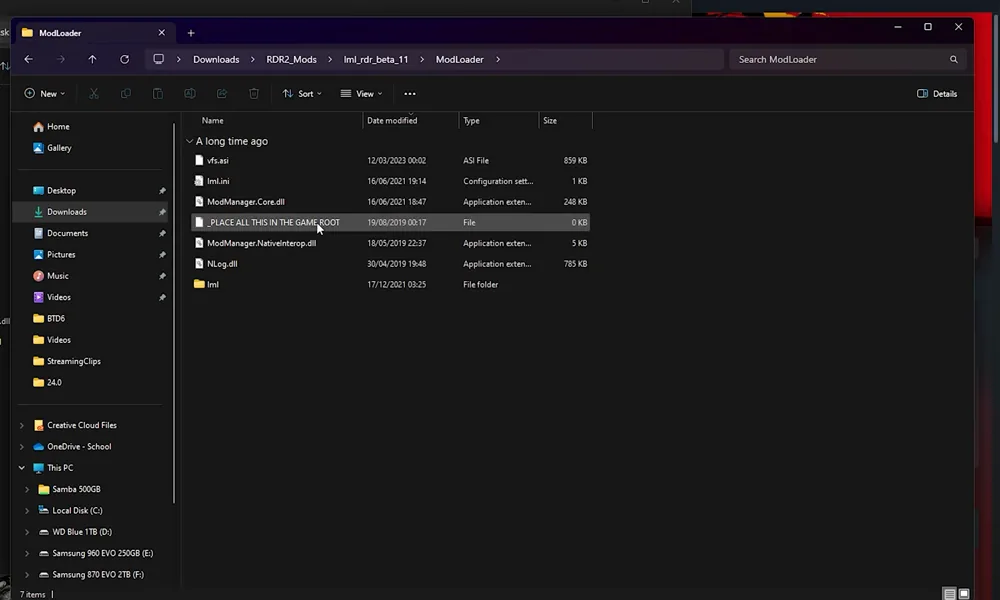
The "ModManager" folder from the same archive can stay wherever you like. Run ModManager.UI.exe from it to open the Mod Manager, which lists and installs your LML mods. A desktop shortcut makes it easier to find later.
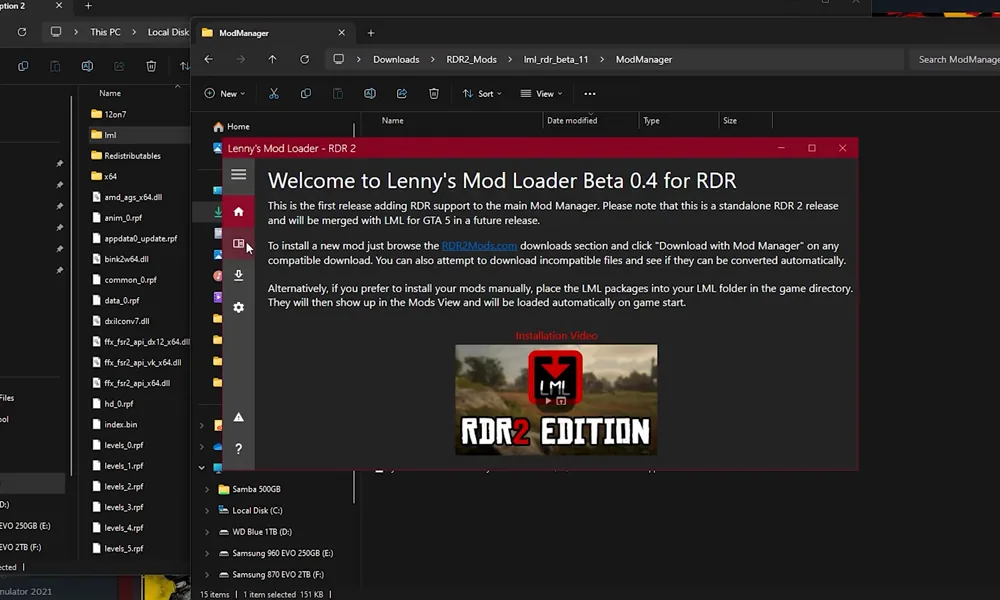
Extract the Script Hook archive and open its "bin" folder. Copy ScriptHookRDR2.dll and dinput8.dll into the game folder. NativeTrainer.asi is optional and only needed if you want the basic trainer that comes with it.
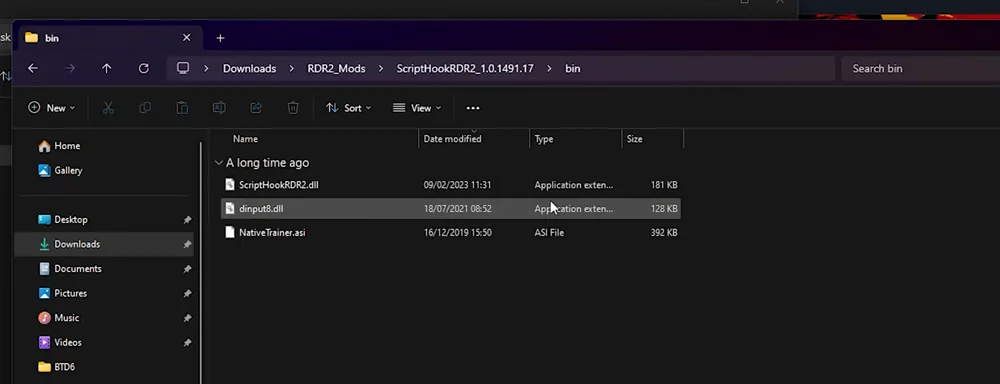
With these files in place, the game is ready for mods. Nothing changes in the game yet. That comes with the first mod.
The two main sites for Red Dead Redemption 2 mods are rdr2mods.com and Nexus Mods. Both are free, although Nexus Mods needs an account before it lets you download.
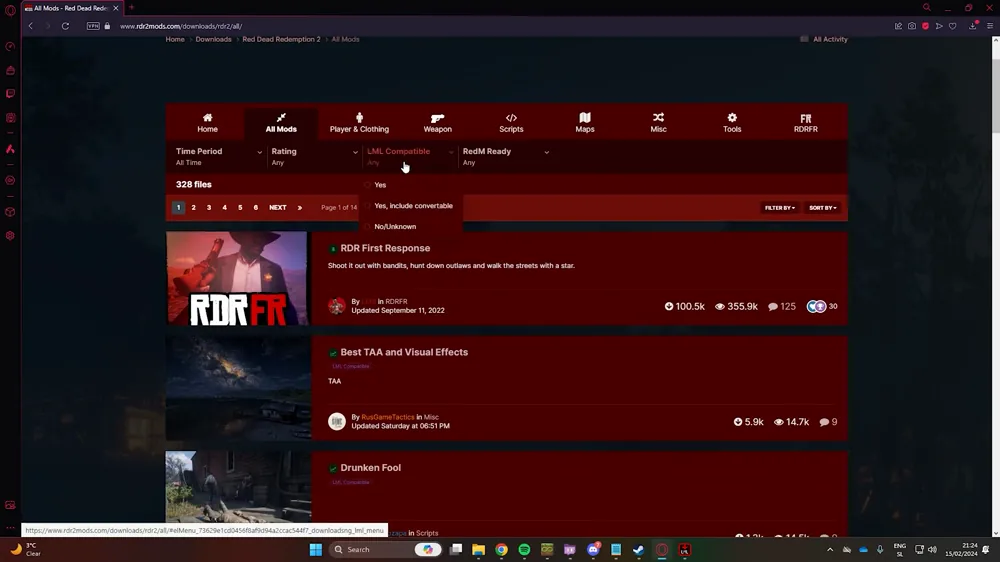
On rdr2mods.com, open "All Mods" and set the "LML Compatible" filter to "Yes". Those mods can be installed with one click: press "Download with LML" on the mod page and the Mod Manager installs it for you.
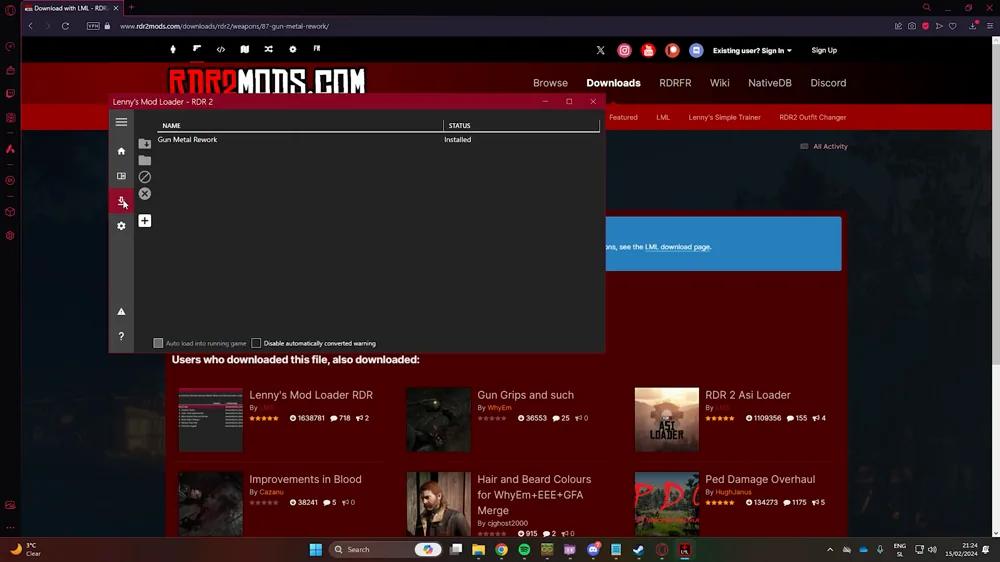
The mod then shows up as "Installed" in the Mod Manager. Only mods built with an install.xml file support this button, so the rest need the manual method below.
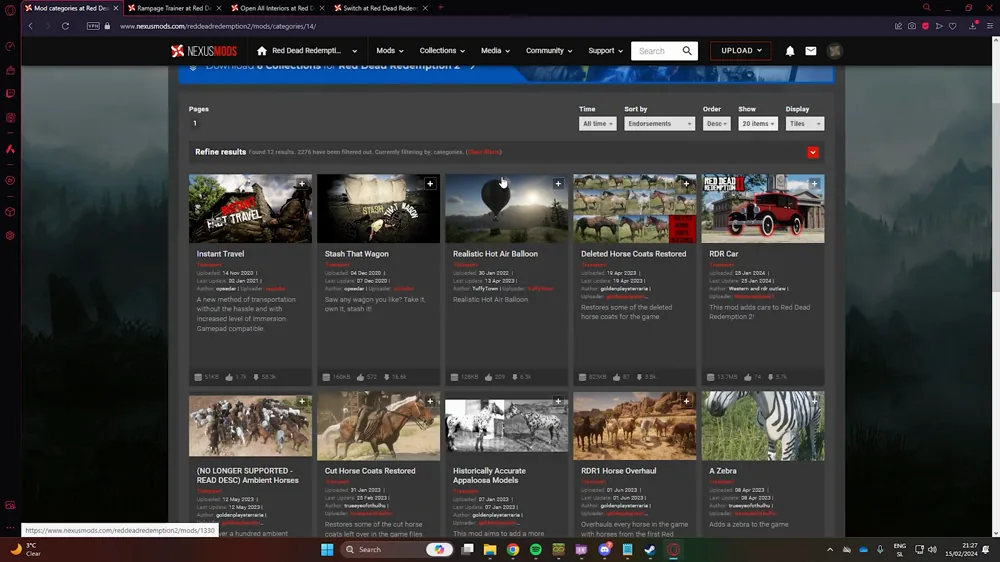
On Nexus Mods, browse the categories or sort by "Endorsements" to find the most popular mods. Always read the mod's description first, because it lists the requirements and which folder each file goes into.
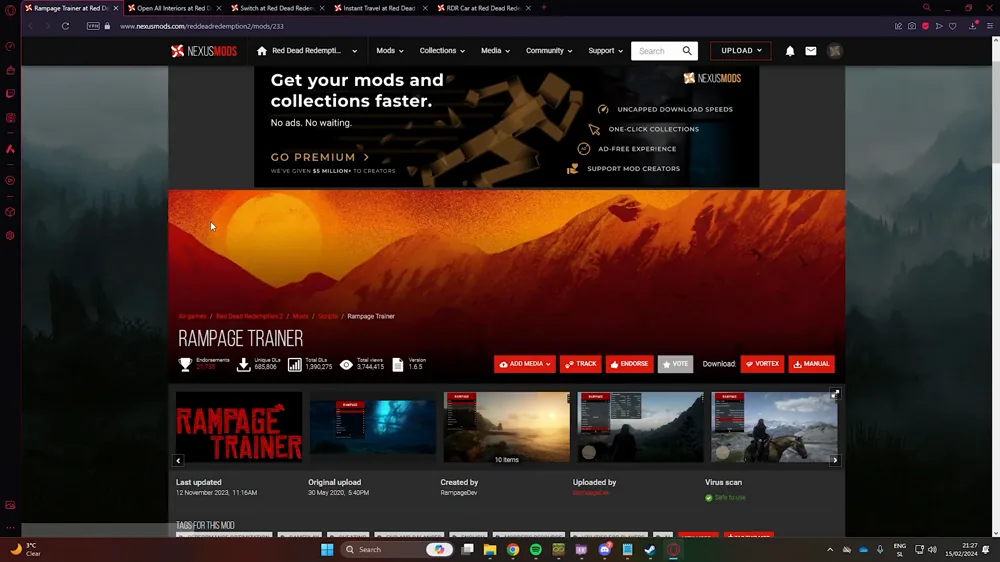
To download, click on "Manual" next to "Download" and then on "Slow download" (free accounts). The Vortex button also works, but copying the files yourself makes it much clearer what is in your game folder.
Put all downloaded archives in one folder, select them and extract each one to its own folder. Then follow the rule each mod's description gives, which is almost always one of these two:
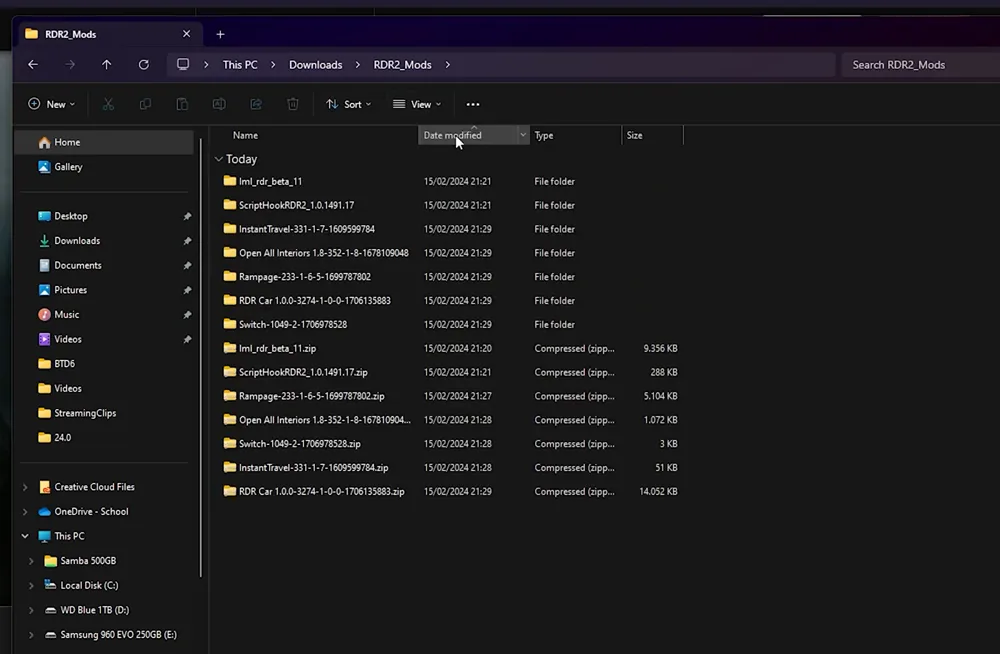
Rampage Trainer is a good first example. Its folder holds Rampage.asi and the RampageFiles folder, and both go straight into the game root.
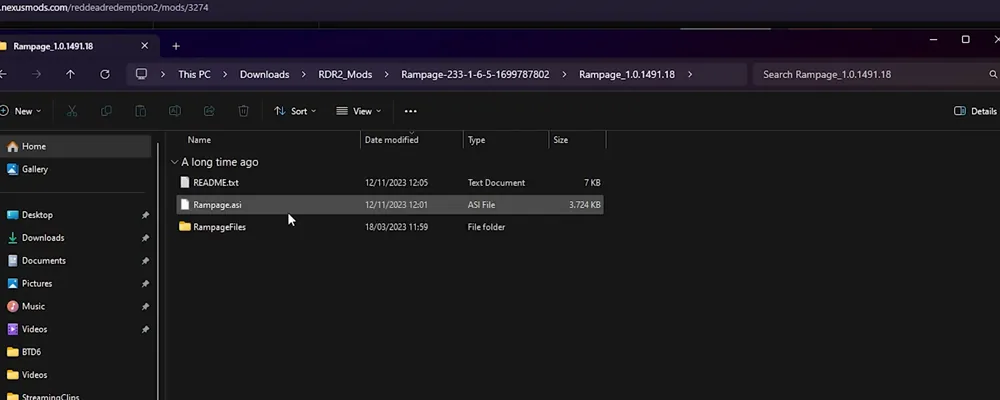
Some mods use both. RDR Car comes with RDRCarScript.asi for the game root and a "Car" folder that goes into the game's lml folder, next to any other LML mods you have.
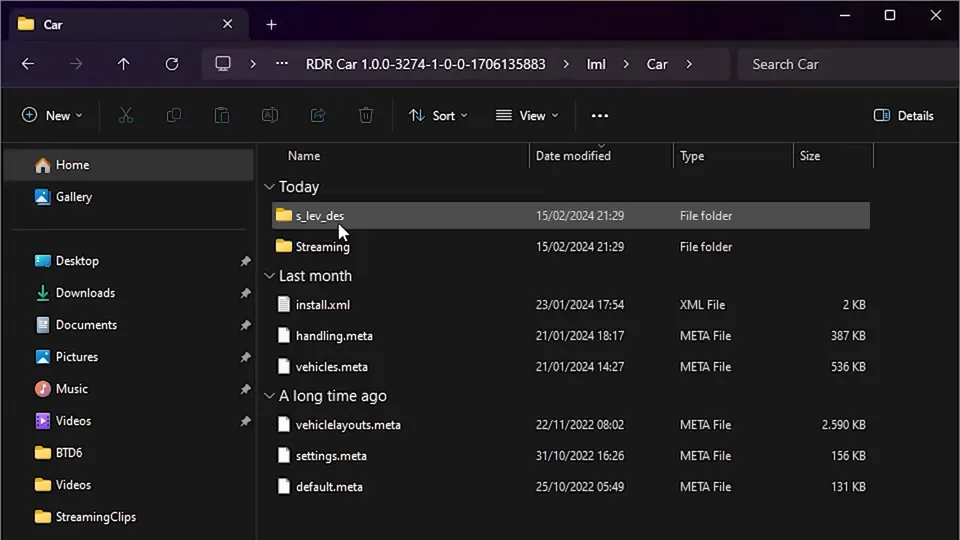
Note: If a mod cannot save its settings, give your user account write access to the game folder. The steps are in the next section.
The Switch mod (version 2.0.1) moves your mods out of the way so you can play Red Dead Online without uninstalling anything. Drop its "krammesting" folder into the game root.
It comes with three batch files:
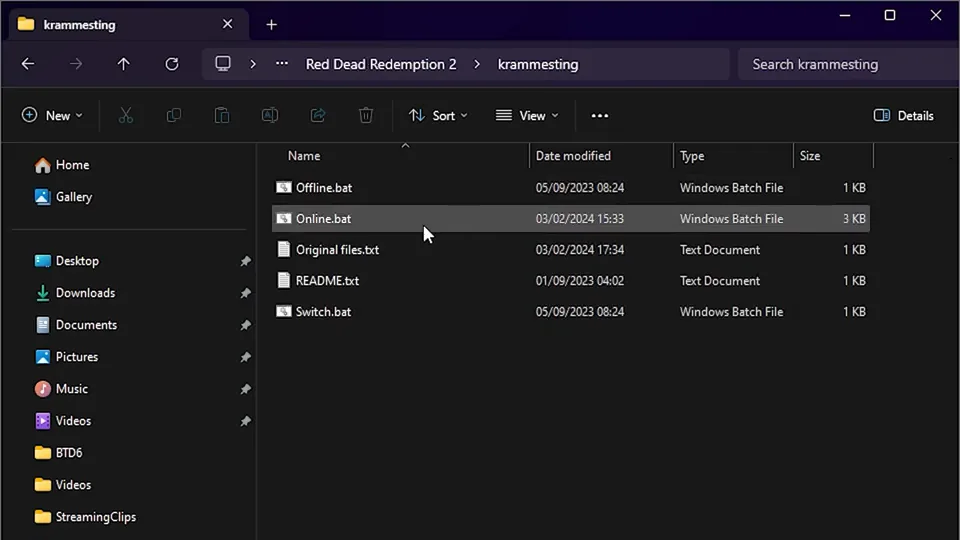
The batch files need permission to move files in the game folder. Either run them as administrator, or right-click on the Red Dead Redemption 2 folder, open "Properties" and go to "Security". Click on "Edit", select "Authenticated Users", tick "Full control" under "Allow" and click on "OK".
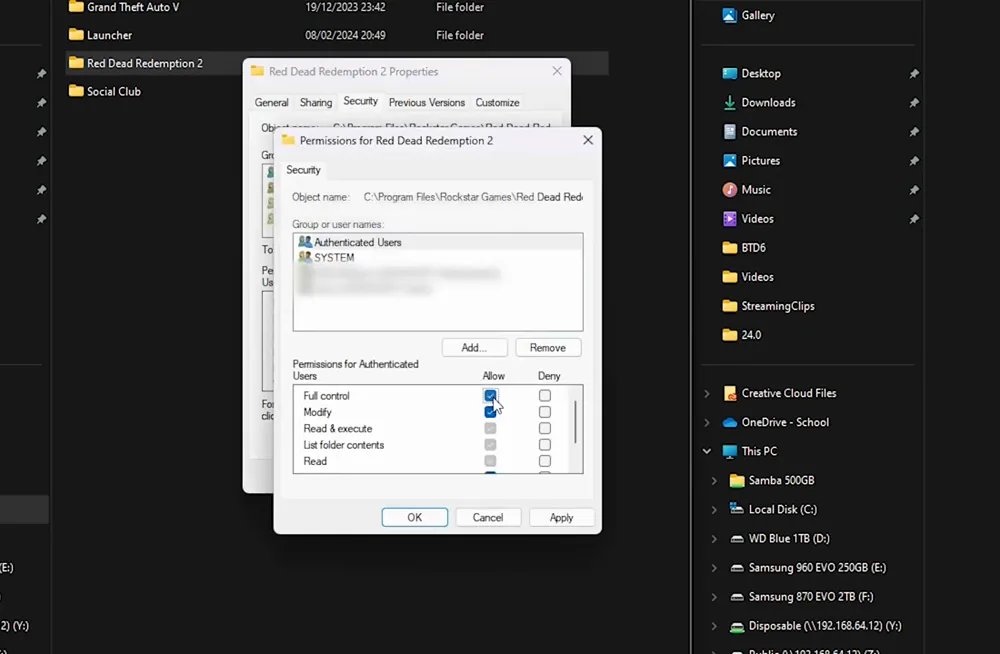
Note: Only the root folder has to be clean for online play. Mods inside folders such as lml are not touched and do not matter there.
Launch the game normally from Steam or the Rockstar Games Launcher. There is no separate modded launch option.
When you load your save with Rampage Trainer installed, a "Welcome" window lists its controls. Press Enter (or Numpad 5) to close it.
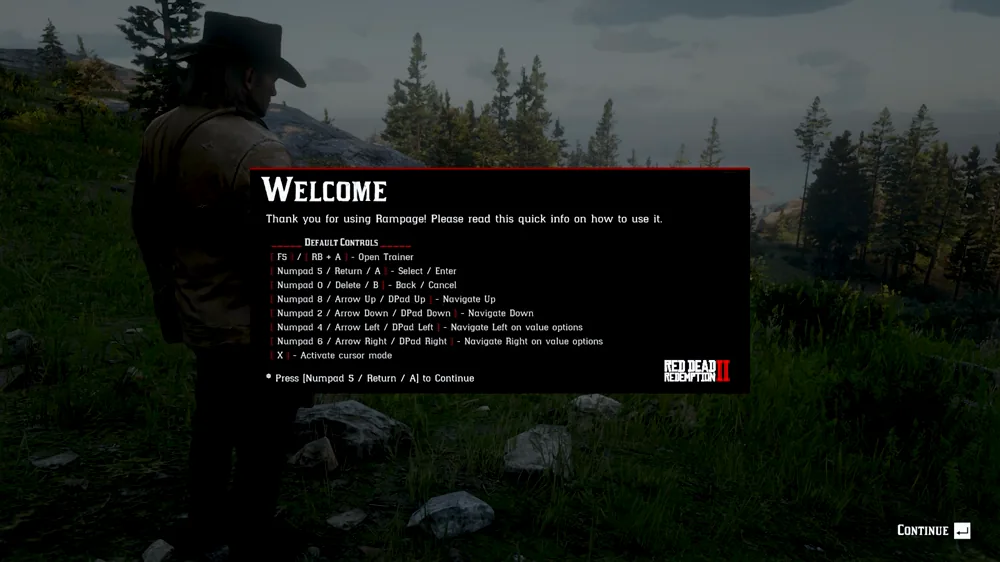
Press F5 to open the trainer, or RB and A on an Xbox controller (R1 and X on PlayStation). Use the arrow keys or the numpad to move through the menus.
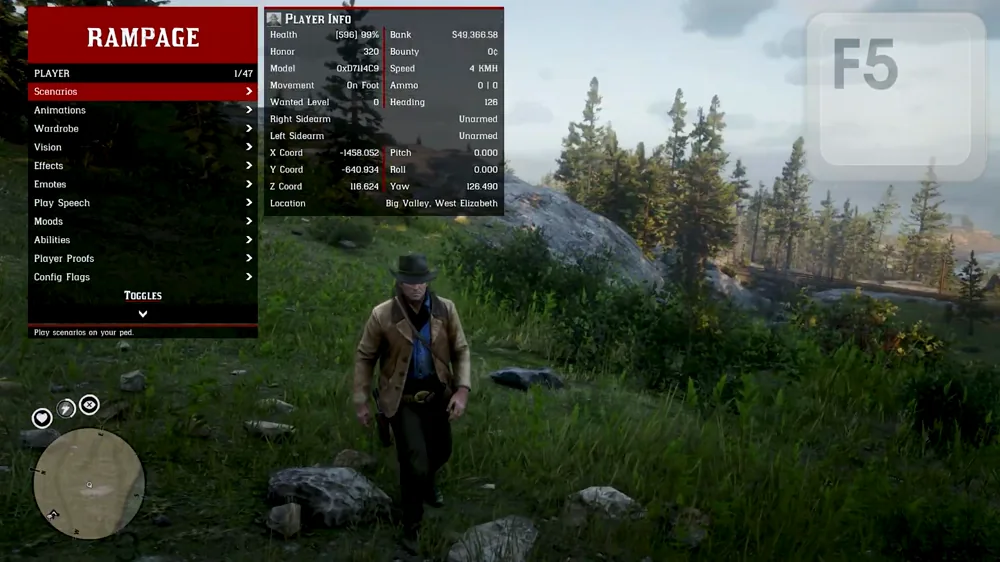
These are the mods from our video, with their current versions as of November 2026:
Rampage Trainer is the most popular Story Mode trainer, with player, horse, weapon, world and spawning options. It is still updated: version 1.6.9 came out in October 2026 and added a speed hack and a search for the item giver.
Open All Interiors (version 1.8) unlocks doors that are normally only open during missions, such as Angelo Bronte's mansion and Braithwaite Manor. Put OpenAllInteriors.asi in the game root.
Instant Travel takes you to your destination when you use the cinematic camera on horseback, with no long ride. In-game time passes based on the distance, and it only works when you are not wanted or in combat.
RDR Car adds a car inspired by the 1929 Ford Model A in 4 colors. Spawn them with F9 to F12, toggle the headlights with O and hold G for the horn.
To remove a single mod, delete the files it added: its .asi file and folder in the game root, or its folder inside lml. To go back to an unmodded game, also delete vfs.asi, lml.ini, the ModManager files, NLog.dll, the lml folder, ScriptHookRDR2.dll and dinput8.dll.
Then let the launcher repair anything a mod replaced. In the Rockstar Games Launcher, open "Settings", pick the game and click on "Verify Integrity". On Steam, open "Properties", go to "Installed Files" and click on "Verify integrity of game files".
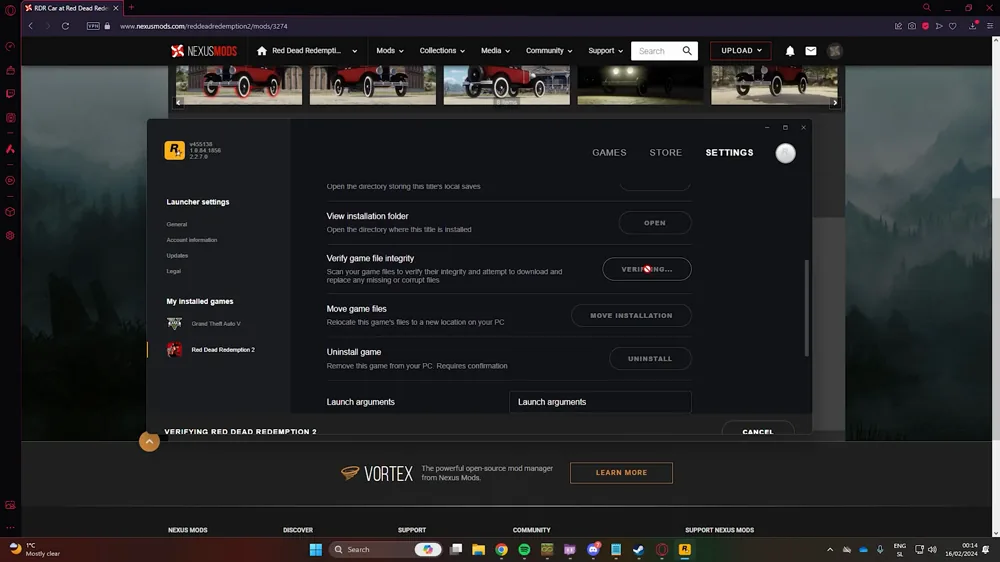
Note: Game updates can break Script Hook and LML until their authors update them. If mods stop working right after a patch, check both download pages for a new version before reinstalling anything else.