Oops! Something went wrong while submitting the form.



Install Stardew Valley mods with SMAPI, from backing up your saves and setting the Steam launch option to adding Stardew Valley Expanded, cheats and map mods. Includes fixes for mods that do not load and how to remove SMAPI again.
Stardew Valley mods run through SMAPI (Stardew Modding API), a free mod loader that sits next to the game without changing any of its files. With SMAPI and a few frameworks you can add whole new areas and characters, see every villager on the map or simply cheat in some gold.
Mods are made by the community, so a game update can break some of them for a while. Single player mods carry no ban risk, as the game has no anti-cheat. For co-op, everyone in the farm should run the same content mods, otherwise new NPCs, items and locations will not match between players.
Note: This guide is accurate for SMAPI 4.5.2 and Stardew Valley 1.6.15 on PC. SMAPI 4.5.2 needs game version 1.6.14 or newer. Console and mobile versions of the game cannot use SMAPI.
Large mods such as Stardew Valley Expanded change maps and events, and a save that was played with them may not load cleanly once they are removed. Make a copy of your saves before installing anything.
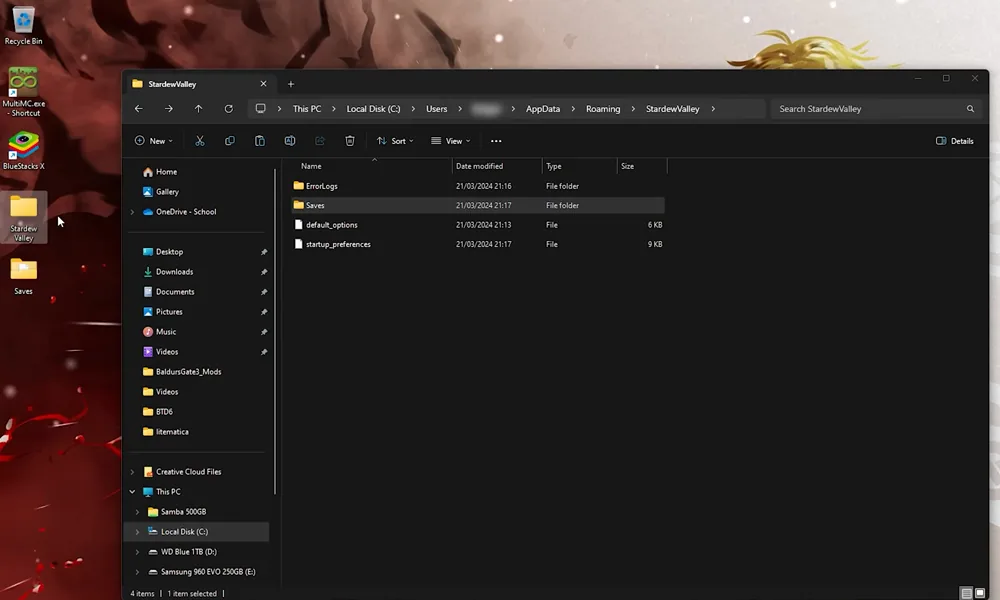
Once SMAPI is installed, its bundled Save Backup mod also makes a backup of your saves every day and keeps the last ten. It sits in the "save-backups" folder inside the game folder, but a manual copy before your first modded launch is still the safest option.
SMAPI is required for almost every Stardew Valley mod. The official download links are on smapi.io, which points to the SMAPI page on Nexus Mods and to the GitHub releases page. Only download it from these, never from a mirror site.
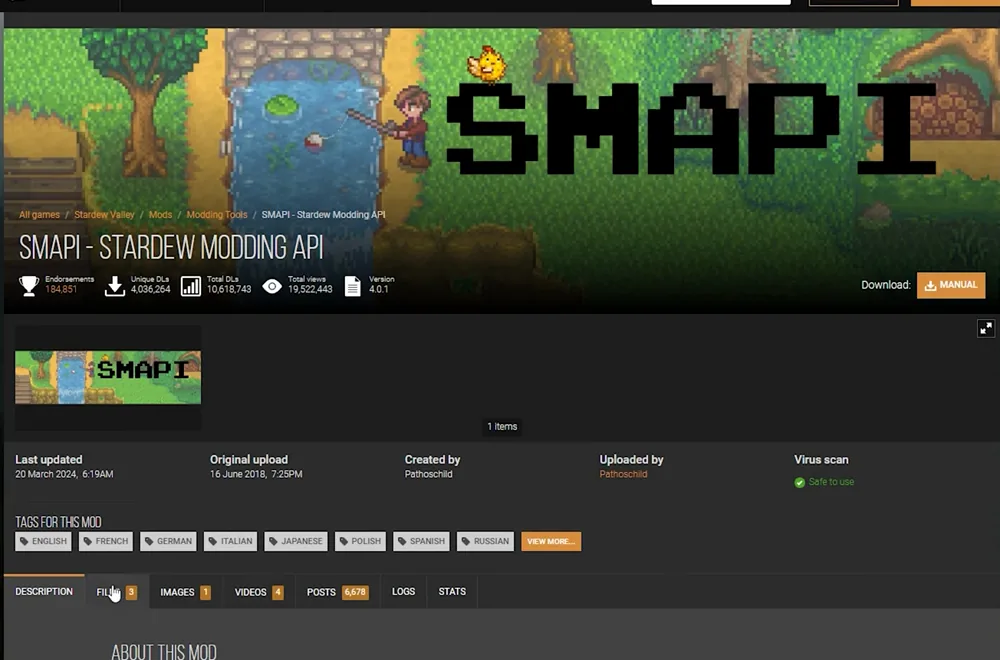
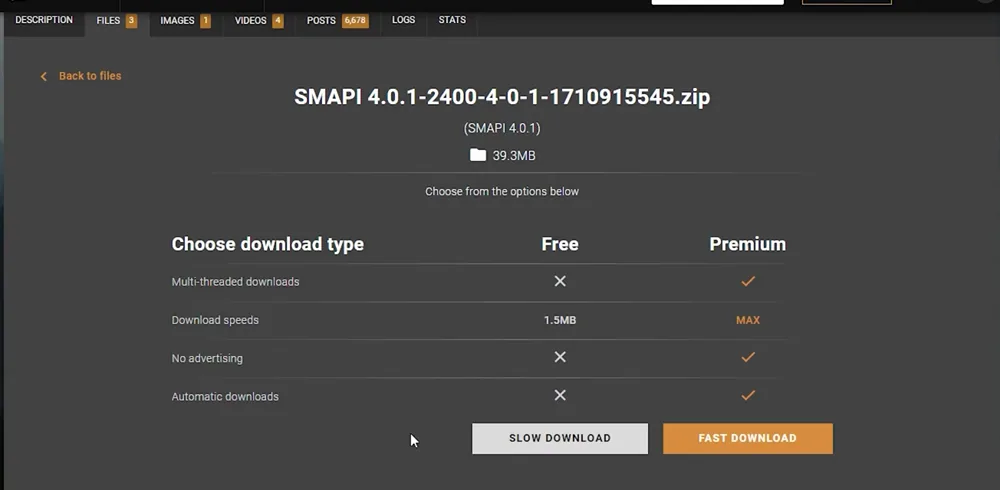
On Nexus Mods, open the "Files" tab and click "Manual Download" under Main Files. You need a free Nexus account to download any file. On a free account, choose "Slow Download" on the next screen and the zip will start downloading after a few seconds.
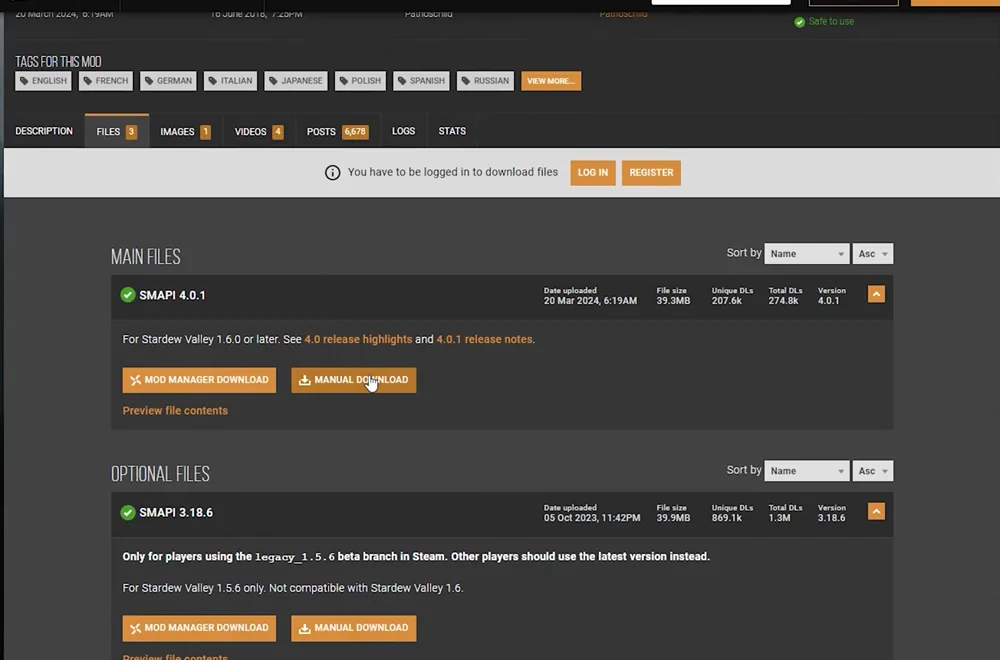
If you do not want to make a Nexus account, the GitHub releases page has the same installer zip under "Assets" with no login. Ignore the "SMAPI 3.18.6" optional file, it is only for the old 1.5.6 legacy branch of the game.
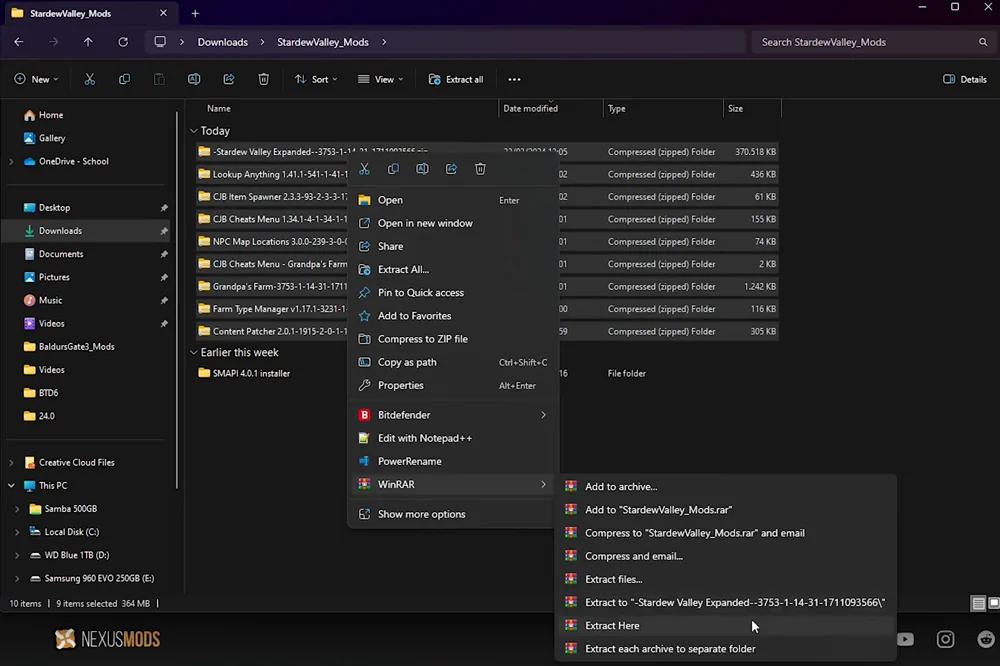
Right click the downloaded zip and extract it (do not run the installer from inside the zip). Open the extracted "SMAPI installer" folder and double click "install on Windows.bat". On macOS and Linux, use "install on macOS.command" or "install on Linux.sh" instead.
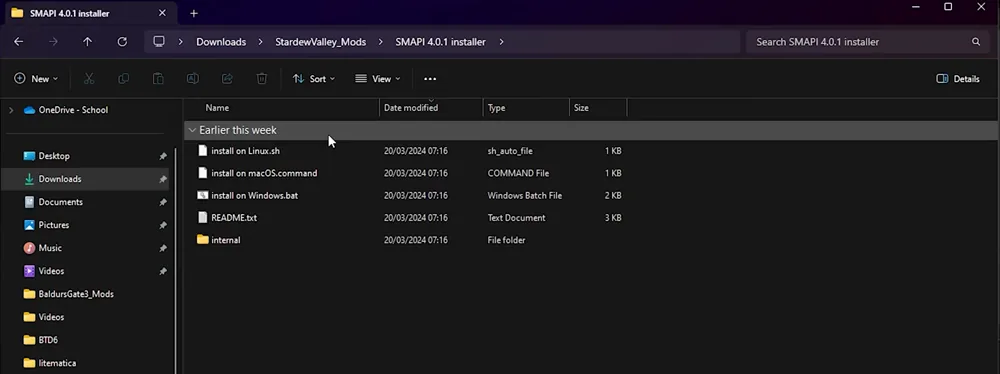
A console window opens and finds your game folder by itself. If you have more than one copy of the game, it asks which one to use. Type 1 to install SMAPI and press Enter.
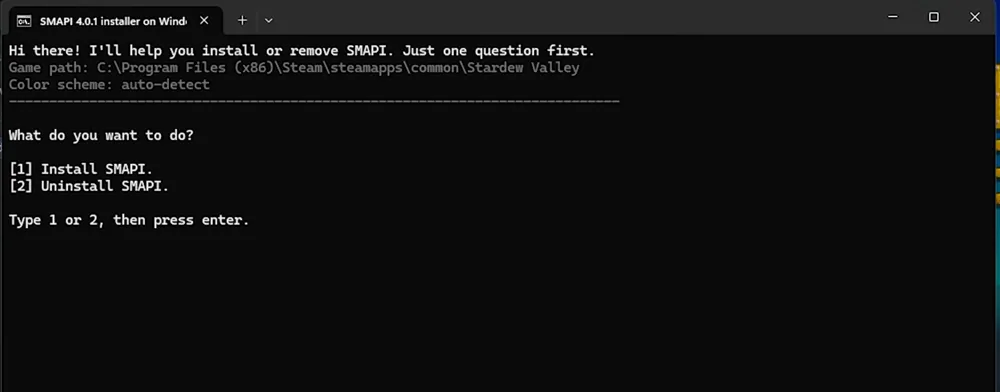
When it finishes, the installer shows a green line with the launch option for Steam, for example:
"C:\Program Files (x86)\Steam\steamapps\common\Stardew Valley\StardewModdingAPI.exe" %command%
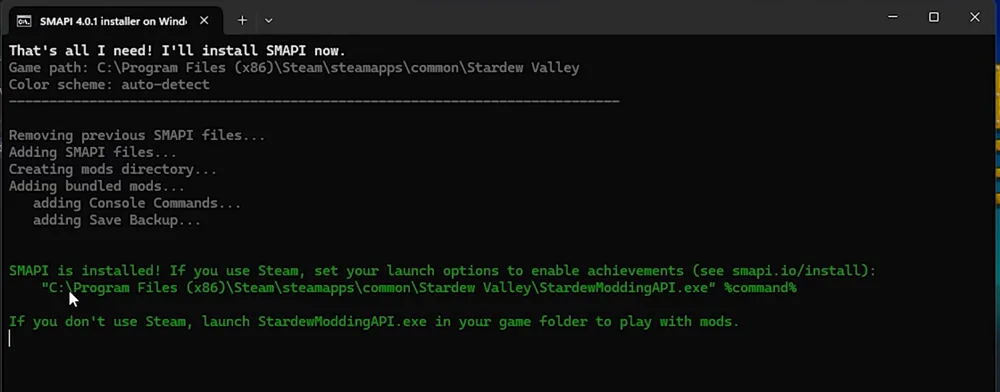
Your path may be different if the game is on another drive, so copy the exact line from your own installer window (select it and press Ctrl + C).
This step lets Steam start the game through SMAPI, so achievements, playtime and the Steam overlay keep working:
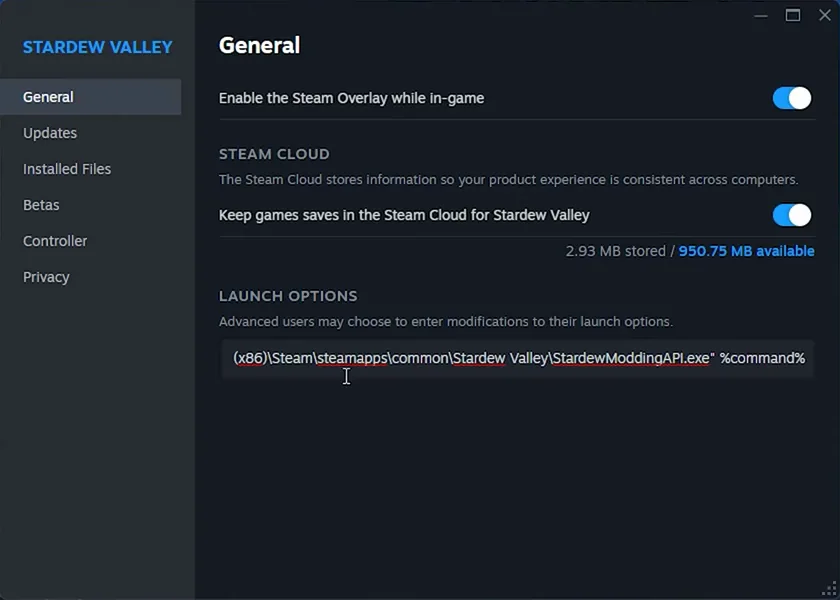
Note: If you play the GOG or another non-Steam version, skip the launch option. Simply start "StardewModdingAPI.exe" from your game folder whenever you want to play with mods.
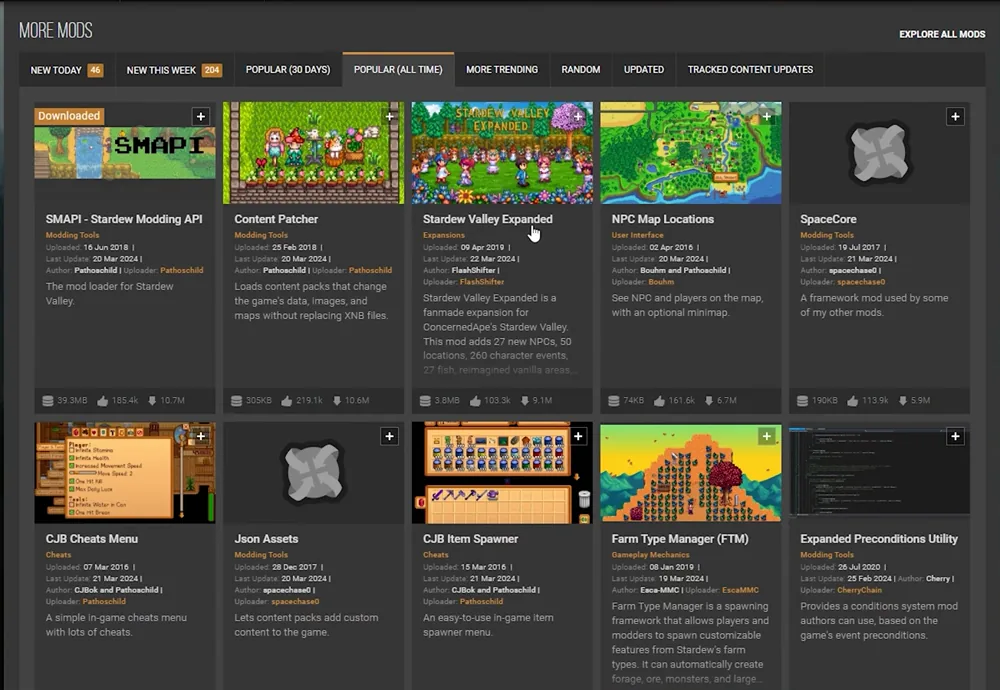
Almost every Stardew Valley mod is on Nexus Mods. On the game's main page, scroll to "More Mods" and pick "Popular (All Time)" to see the most downloaded ones. Content Patcher, Stardew Valley Expanded and NPC Map Locations are all near the top.
Download every mod the same way as SMAPI: "Files" tab, "Manual Download", then "Slow Download". Many mods are content packs that need a framework to run. When that is the case, Nexus shows an "Additional files required" window before the download starts.
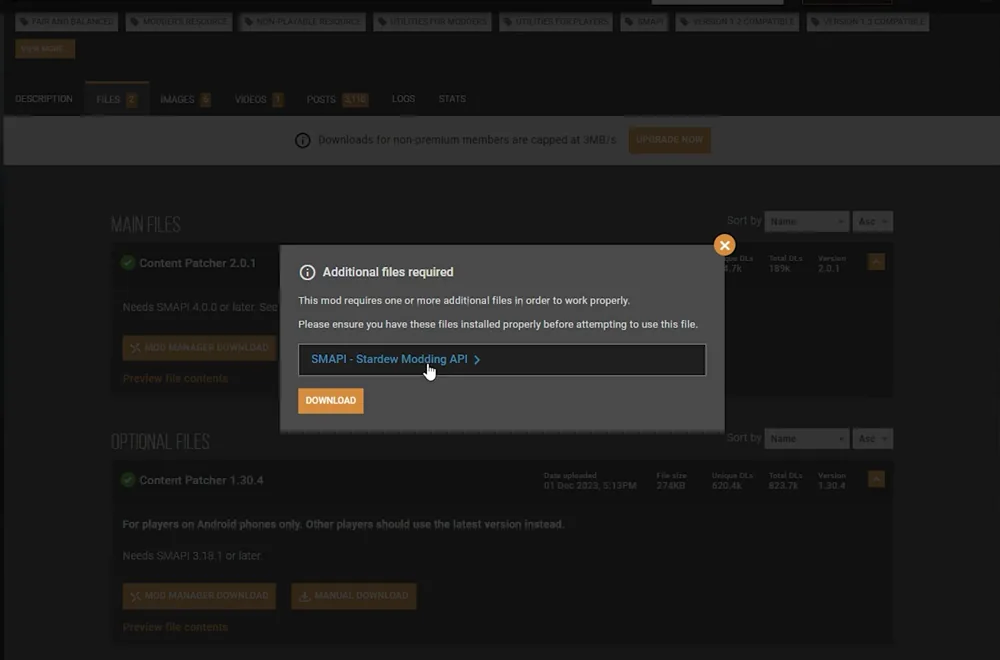
Read that list every time and download each mod in it, unless you already have it. Content Patcher (the most common requirement) is needed by most content mods, so it is a good idea to grab it first.
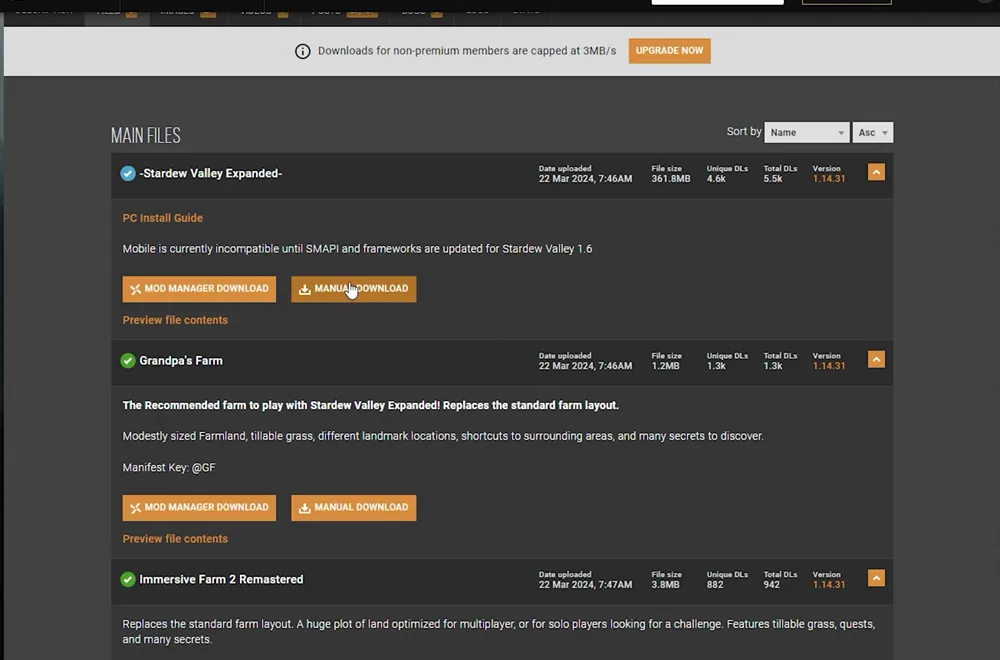
Stardew Valley Expanded (SVE) is the biggest content mod for the game. Its main file is "Stardew Valley Expanded", and the same page also offers optional farm maps such as "Grandpa's Farm" and "Immersive Farm 2 Remastered". You only need one farm map, and only if you want a new farm layout.
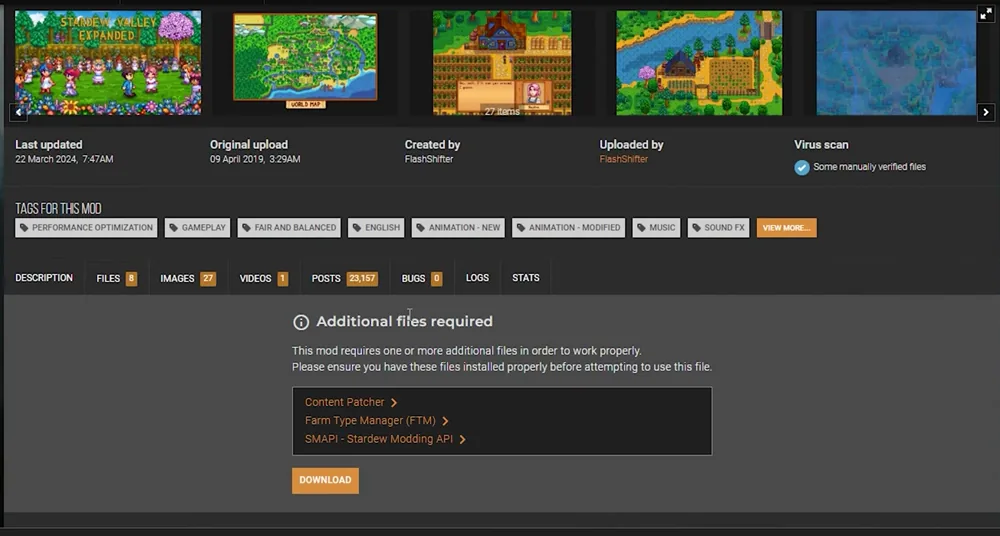
SVE needs these three files to work:
Note: Start a new save for SVE if you can. It works on an existing farm, but the changed maps and events make the most sense from day one, and removing it later can leave a save with missing locations.
Every mod goes into the "Mods" folder that SMAPI created inside your game folder. To open it, right click Stardew Valley in Steam, go to "Manage" and click "Browse local files". The default path is C:\Program Files (x86)\Steam\steamapps\common\Stardew Valley\Mods.
The Mods folder already holds two mods that came with SMAPI, "ConsoleCommands" and "SaveBackup". Leave both of them in place.
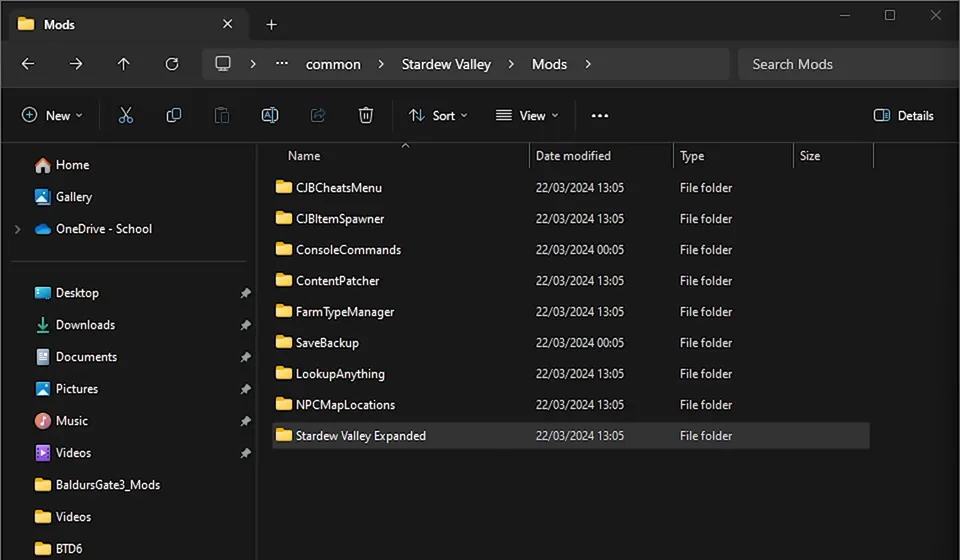
A mod folder inside another folder of the same name is fine, as SMAPI searches subfolders. Loose files dropped straight into "Mods" without a folder will not load.
Press "Play" in Steam (or run StardewModdingAPI.exe). A black SMAPI console window opens next to the game and lists every mod it loads. Do not close it, as closing the console also closes the game.
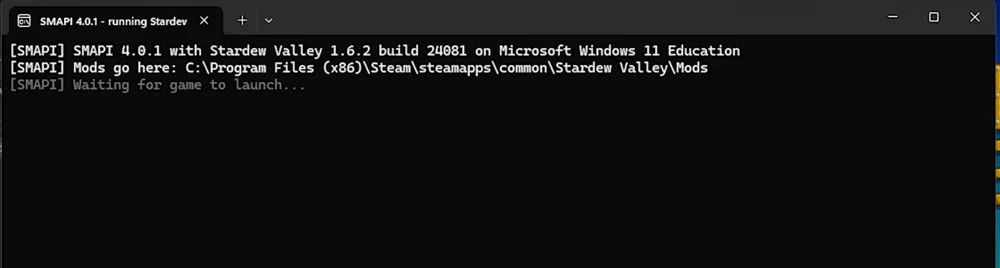
SMAPI also checks your mods for updates on every launch and lists any that have a newer version in the console. Mods that are broken, outdated or missing a requirement are skipped and named in red, which tells you exactly what to fix.
These are the mods shown in our video, and all of them are updated for Stardew Valley 1.6:
| Mod | What It Does | Needs | Version (November 2026) |
|---|---|---|---|
| Content Patcher | Framework that loads content packs (new items, NPCs, maps, retextures) | SMAPI | 2.9.1 |
| Stardew Valley Expanded | Adds new locations, characters, events and farm maps | Content Patcher, Farm Type Manager | 1.15.11 |
| Farm Type Manager (FTM) | Spawns forage, ore and monsters on custom farms | SMAPI | 1.26.1 |
| NPC Map Locations | Shows villagers on the map | SMAPI | 3.5.2 |
| CJB Cheats Menu | In-game cheat menu (P key) | SMAPI | 1.42.0 |
| CJB Item Spawner | Spawn any item into your inventory | SMAPI | 2.5.6 |
| Lookup Anything | Details on any item, crop, animal or villager (F1 key) | SMAPI | 1.55.0 |
| Generic Mod Config Menu | In-game settings page for SMAPI and other mods | SMAPI | 1.16.0 |
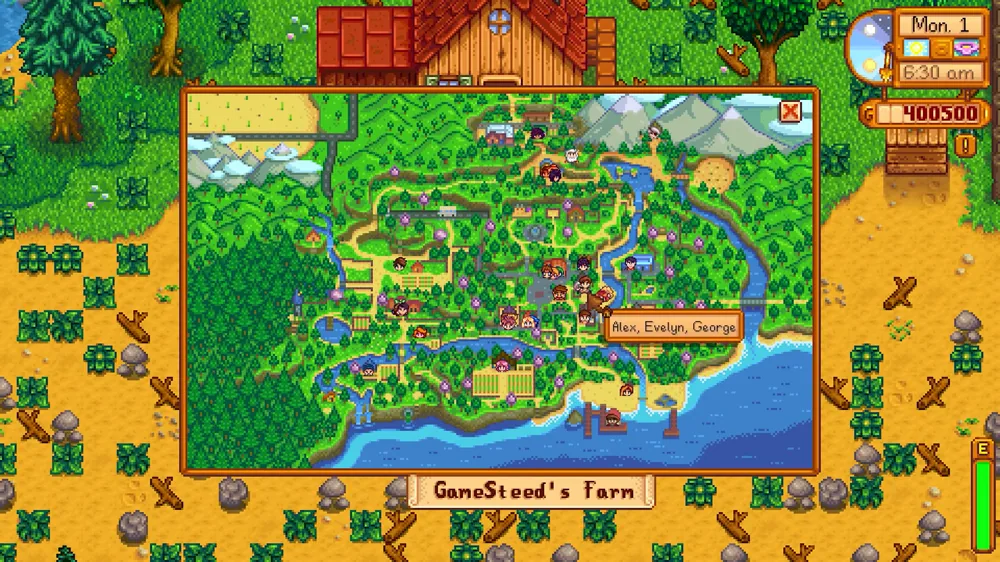
Shows the heads of every villager on the map, with their names when you hover over them. It is very handy for finding someone on their birthday or tracking down a character for a quest.
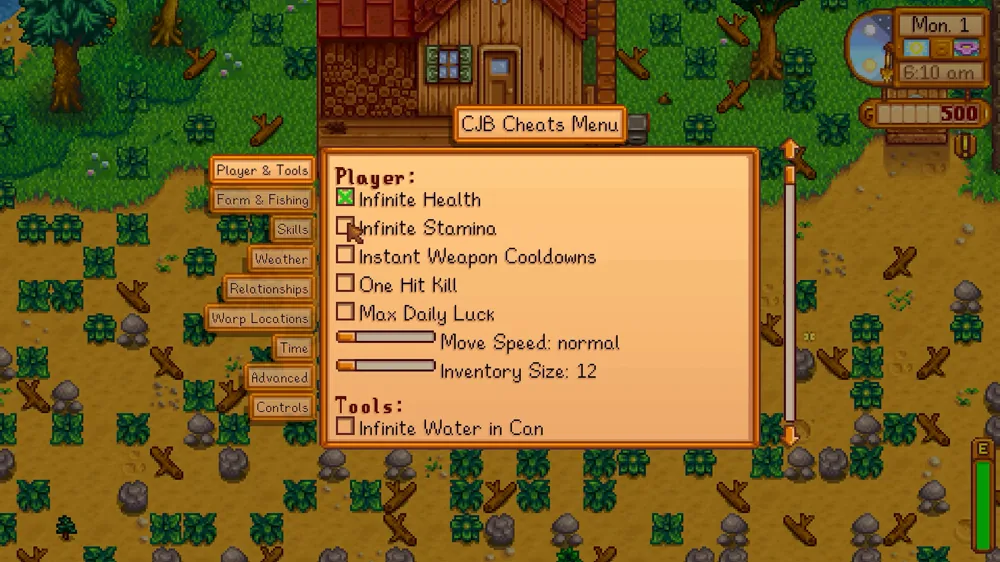
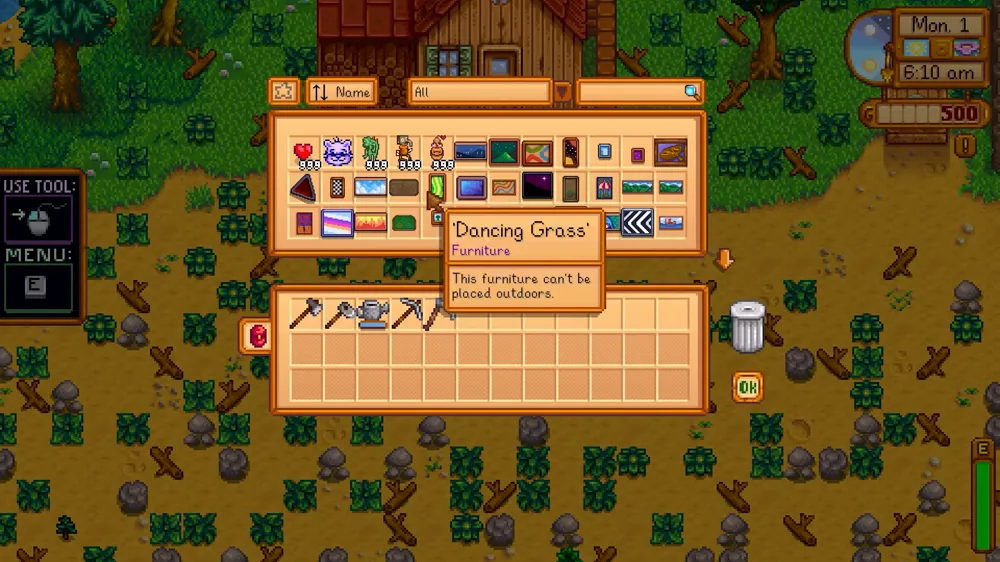
CJB Cheats Menu opens with the P key and has toggles for infinite health and stamina, one hit kills, move speed, relationships, weather, time and warps. CJB Item Spawner adds a searchable menu of every item in the game, so you can add any seed, furniture piece or tool to your inventory.
Hover over an item, crop, animal or villager and press F1 to see its details: sell price, growth time, gift tastes and which bundles still need it. It answers most questions you would otherwise look up on a wiki.
Note: Most mods have a config.json file in their folder for keybinds and settings. Since SMAPI 4.5, you can also change SMAPI's own settings in game if you install Generic Mod Config Menu, which adds a settings page for many other mods as well.
To remove a single mod, delete its folder from "Mods". To remove SMAPI completely, run "install on Windows.bat" again and type 2 to uninstall it.
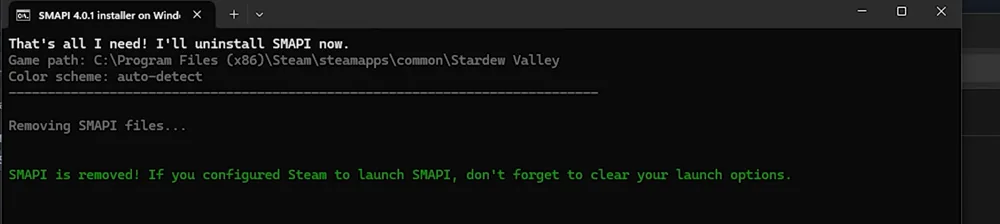
After that, open the game's Steam "Properties" and delete the line in "Launch Options". If you leave it there, Steam will try to start SMAPI and the game will not launch. Your saves stay where they are, and you can copy back the backup from the start of this guide if a modded save gives you trouble.