

Oops! Something went wrong while submitting the form.

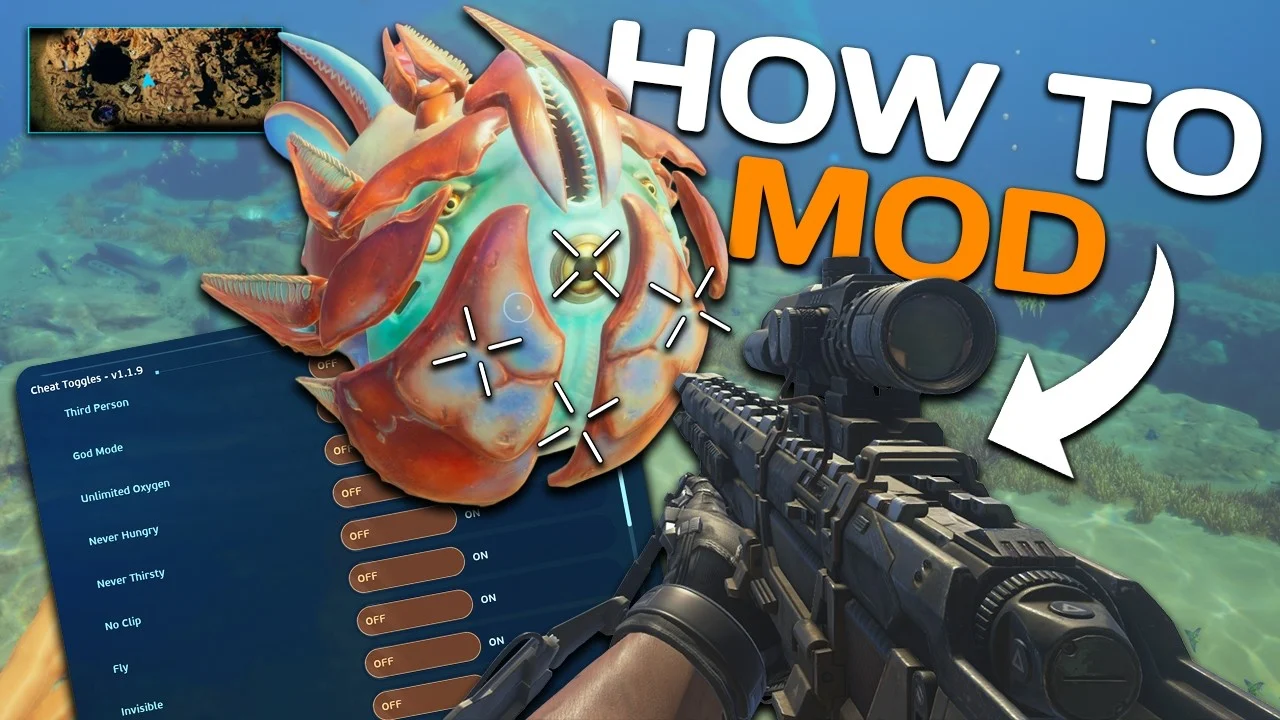
Two ways to mod Subnautica 2 on PC: the CurseForge app or a manual UE4SS install from Nexus Mods. It covers Cheat Toggles, Console Commands, Simple Minimap, Killable Creatures and fixing crashes after updates.
Subnautica 2 has no official mod support yet, but players have already made hundreds of mods for the Early Access version. They let you turn on console commands, add a minimap and even kill creatures the game won't let you hurt, Hammerheads included.
There are two ways to install them. The CurseForge app is the easy route, while the manual route through Nexus Mods takes a few more minutes but gives you more mods and a better feel for how your setup works.
Subnautica 2 runs on Unreal Engine 5, while the first game ran on Unity, so the old Subnautica mods and loaders do not carry over. Most mods now run through UE4SS, a mod loader made for Unreal Engine games.
Note: This guide is up to date for Early Access 1.2 (the Buddy System update) as of November 2026.
Mods are made by players, not by Unknown Worlds, and the studio says official mod support will not be there at the start of Early Access, although it would like to consider it for later releases.
Every game update can break mods, so after each hotfix Unknown Worlds asks modded players to disable or remove their mods until the mod authors release updated versions.
Mods only work on PC, since the Xbox Series X|S version has no folder to install them into. Also, UE4SS does not work on the experimental branch, so stay on the normal version of the game if you want mods.
Copy your saves before you install anything. Mods that change your inventory, storage or unlocks write those changes into the save, and one broken mod can take a save down with it.
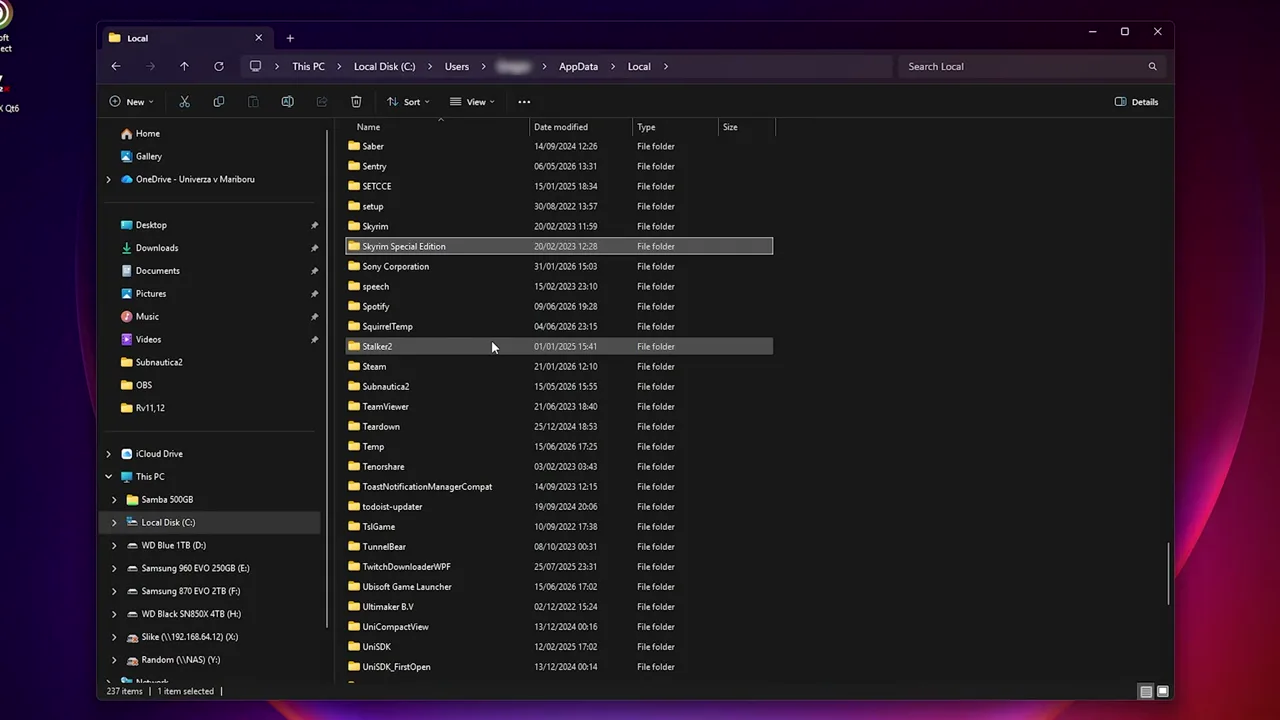
On Steam, type %LOCALAPPDATA% into the File Explorer address bar, press Enter and open the "Subnautica2" folder (one word, no space). Your saves sit in "Saved", then "SaveGames".
Close the game, then copy the whole "Saved" folder somewhere safe, like your desktop. If anything goes wrong, paste it back and your saves and settings return.
The Xbox app and Game Pass version keeps its saves in a protected Packages folder instead, so rely on Xbox cloud saves there.
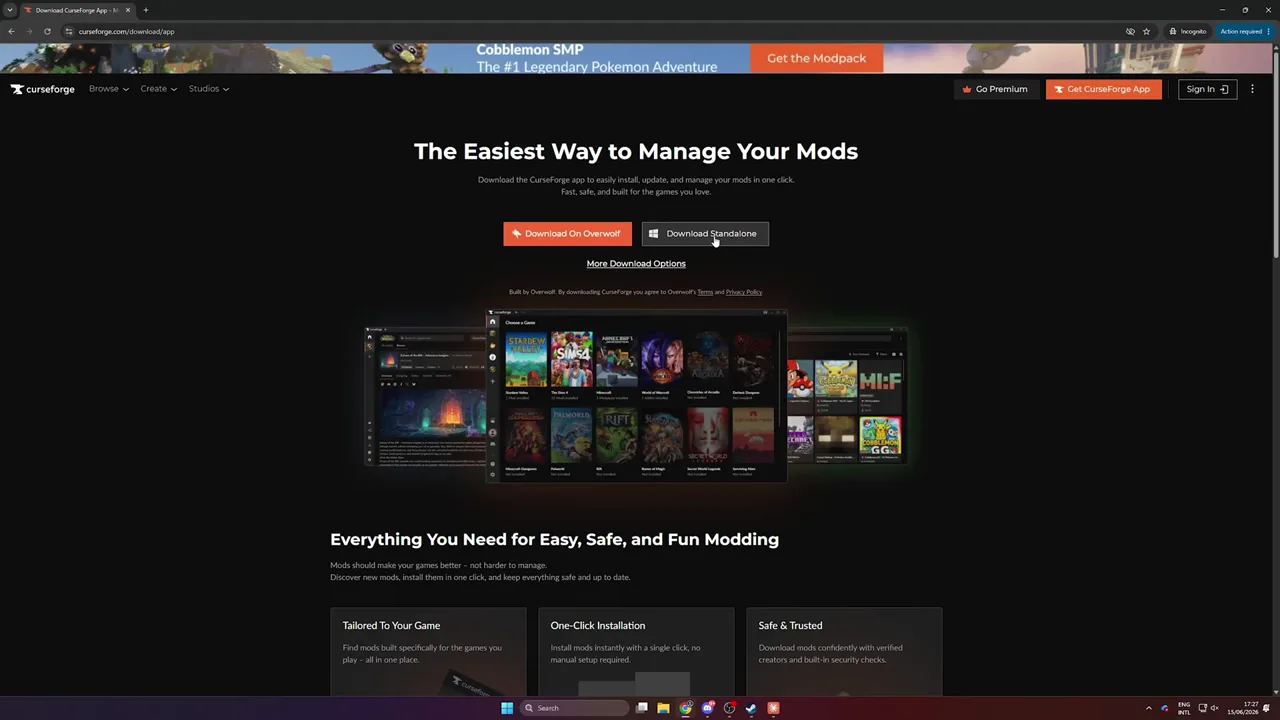
The CurseForge app is the easiest way to mod Subnautica 2. Search Google for "Subnautica 2 mods", open the CurseForge result and click "Get the CurseForge App". Only download it from curseforge.com.
Run the installer and open the app, which should find Subnautica 2 on its own. If it doesn't, click the "+" icon to scan your computer or add the game by hand.
To find the game folder, right-click Subnautica 2 in Steam, choose "Manage", then "Browse Local Files", and copy that path into CurseForge.
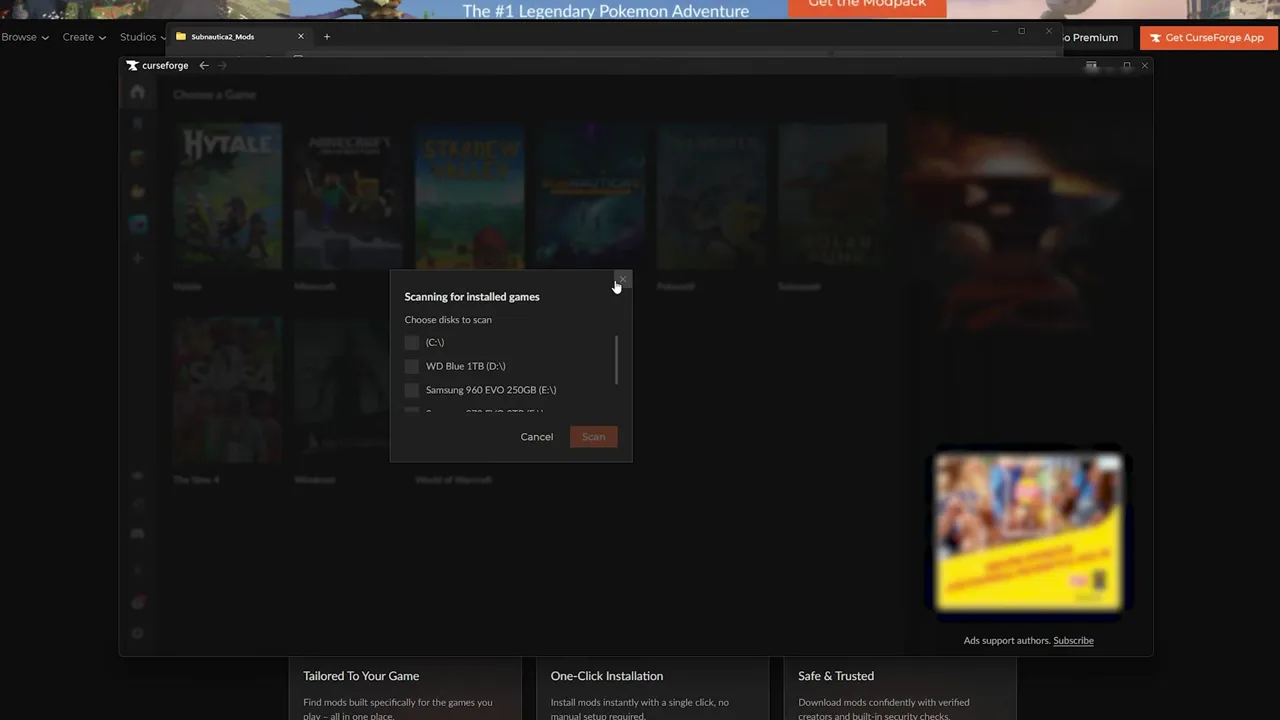
Select Subnautica 2, click "Browse for mods" and use the "Discover" tab to sort mods into categories, where one click on "Install" adds a mod.
Installed mods show up under "My Mods", and "Run Game" starts the game straight from the app.
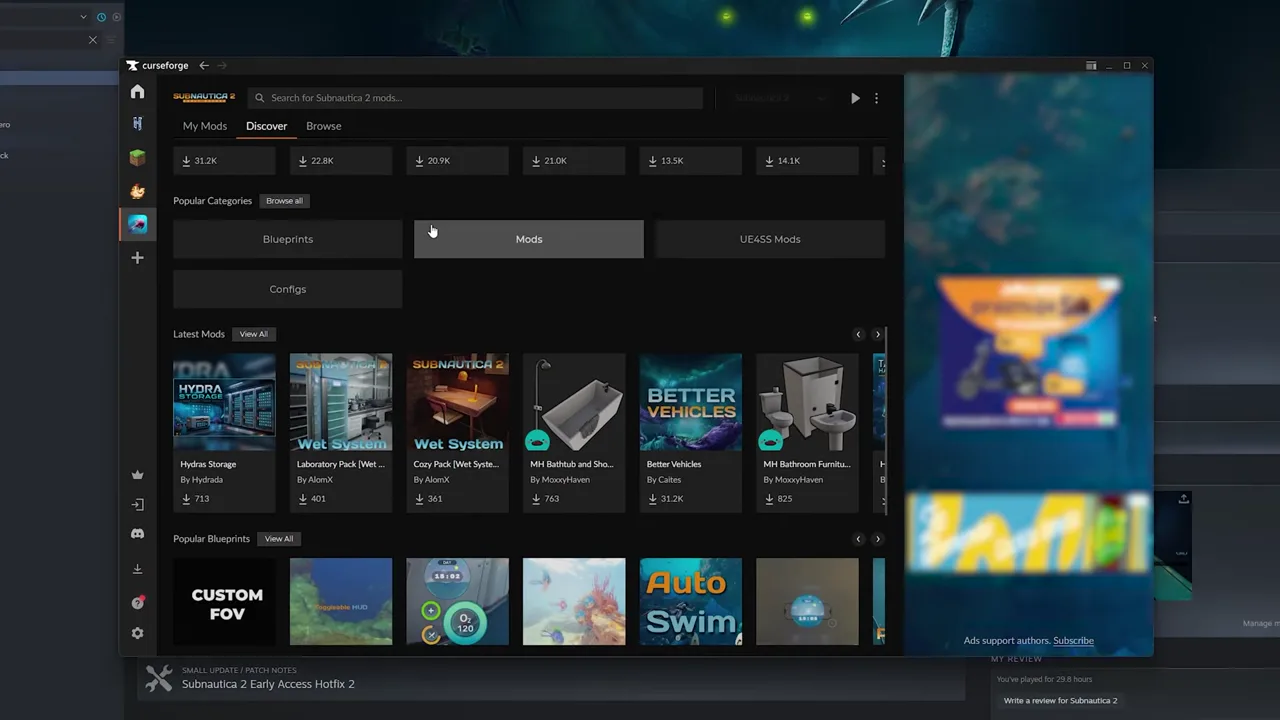
To test it, we installed a photo mode, a custom FOV mod and Simple Minimap, and the app handled the loading for us. CurseForge lists about 100 Subnautica 2 projects, fewer than Nexus Mods, so if a mod you want is missing, use the manual route below.
If your frame rate drops once mods are in, see How To Boost FPS With Performance Mods.
The manual route takes a little tinkering, but it gives you the most mods, and you will know your setup well enough to fix it yourself. Search for "Subnautica 2 mods" again and open Nexus Mods this time.
You need a free account to download, so log in or sign up in the top right. Sorting by "Popular" brings the most downloaded mods to the top.
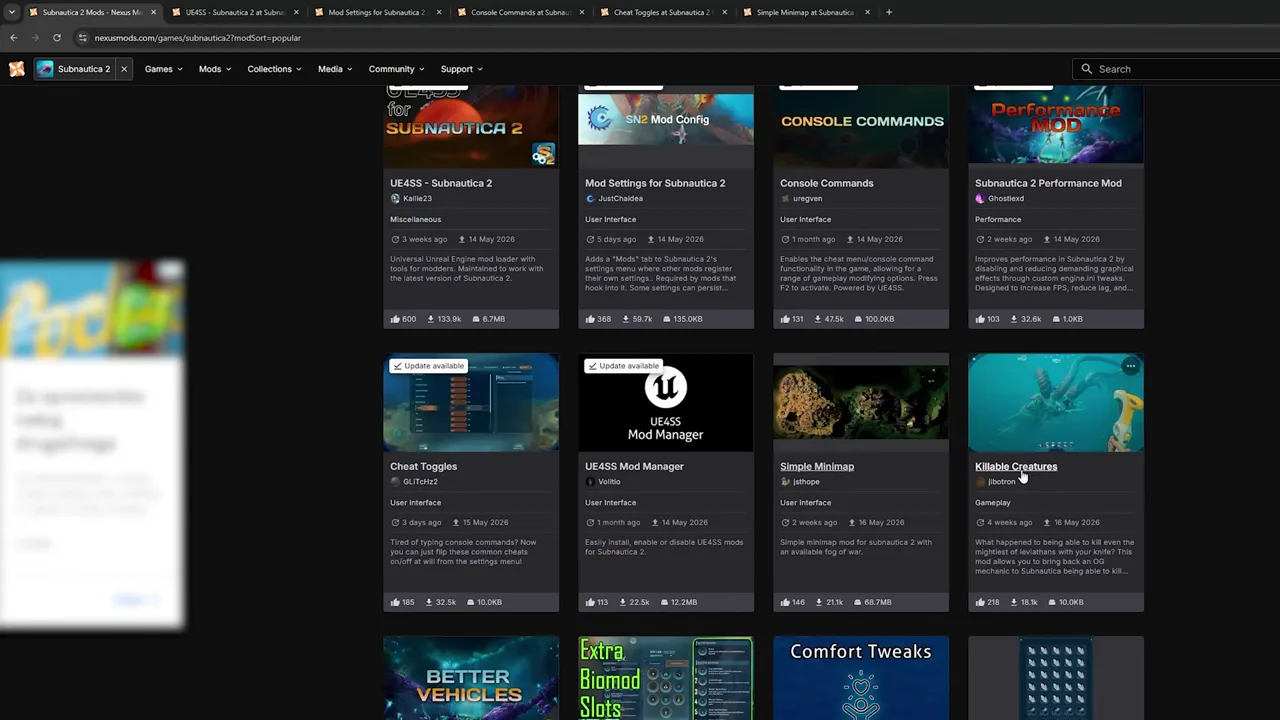
For this guide we use these mods:
Always read a mod's description page before you download it. That is where authors list requirements, the game version it was made for and the folder for the Game Pass version.
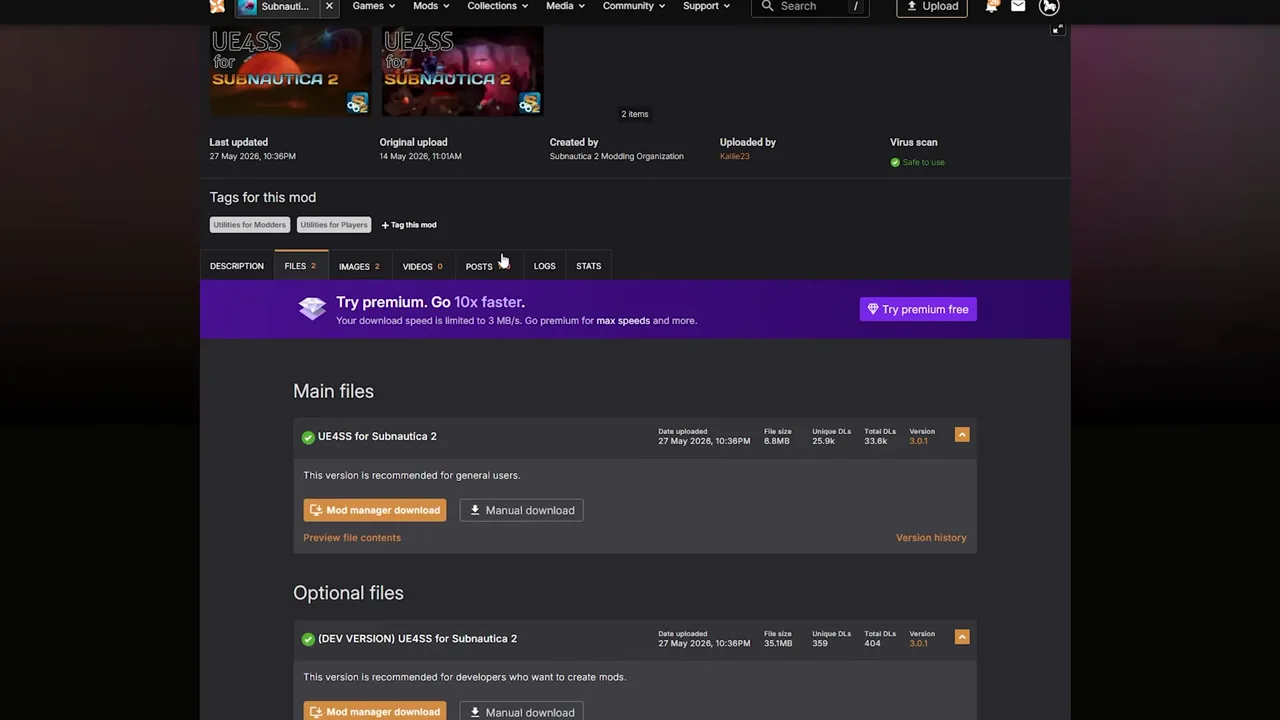
UE4SS (the Unreal Engine Scripting System) is the base every other mod runs on. On Nexus it is listed as "UE4SS - Subnautica 2", kept up to date for the latest stable version of the game.
Open its "Files" tab, pick the normal (non-dev) version and click "Manual Download". The dev version only adds an extra console window for modders.
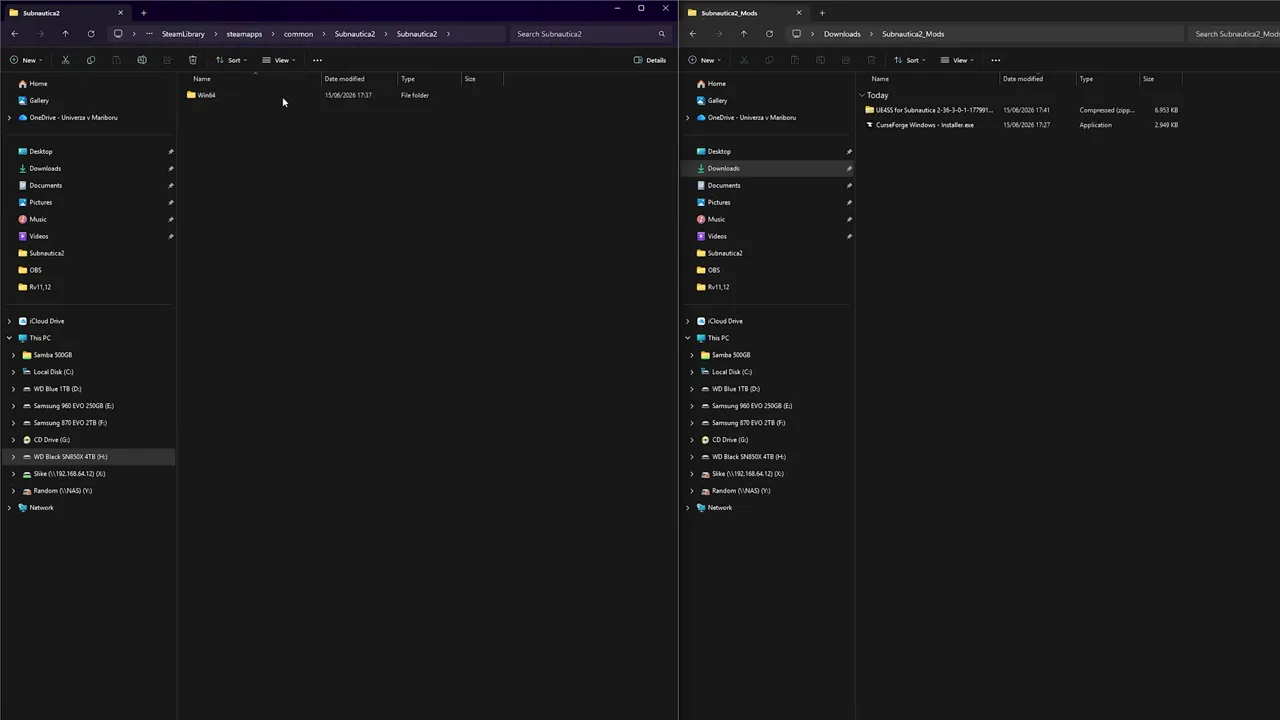
Now open the game folder. In Steam, right-click Subnautica 2, hover over "Manage" and click "Browse Local Files", then go into "Subnautica2", "Binaries" and "Win64".
The full path ends in Subnautica2\Subnautica2\Binaries\Win64. Do not use the Binaries\Win64 folder under "Engine", because UE4SS will not load from there.
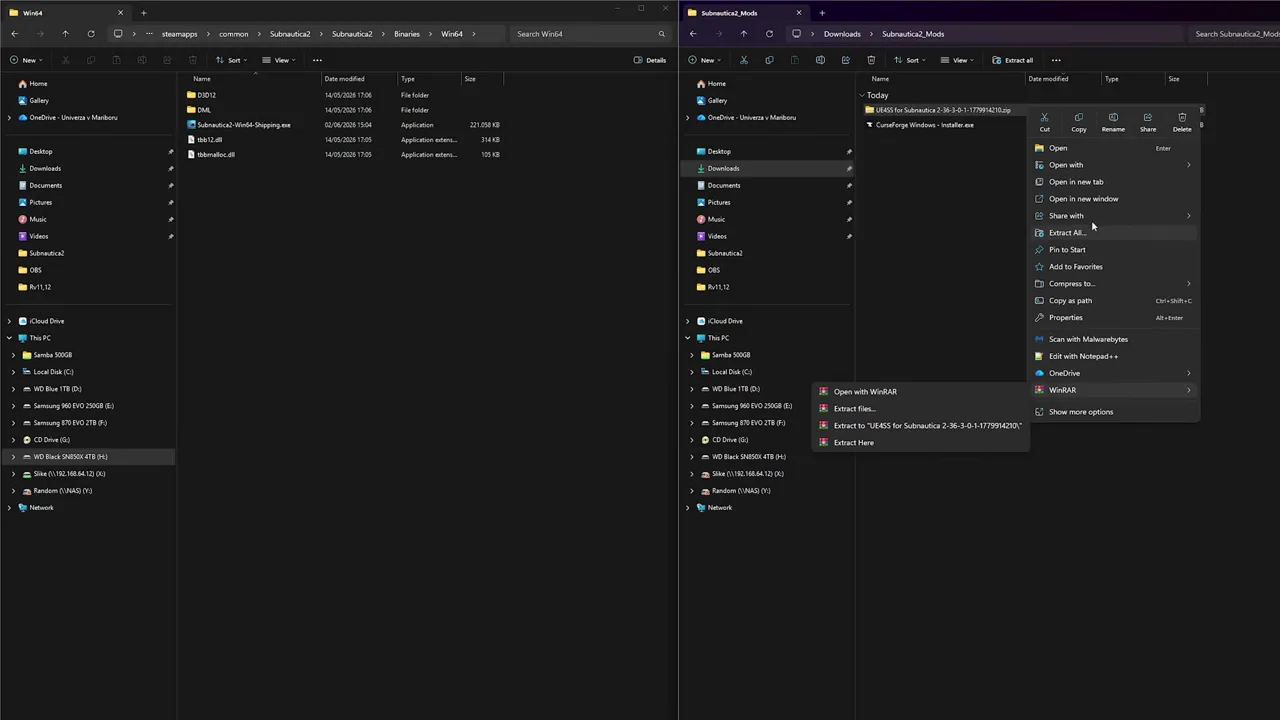
Extract the UE4SS download with WinRAR or the built-in Windows "Extract All" option, then copy its contents into Win64. You should now see a dwmapi.dll file and a ue4ss folder there, and that dwmapi.dll file is what starts UE4SS every time you launch the game.
Launch the game once, and if a UE4SS.log file appears in the ue4ss folder, UE4SS is working.
Note: On the Xbox app or Game Pass version, the folder is XboxGames\Subnautica 2\Content\Subnautica2\Binaries\WinGDK instead of Win64.
Every UE4SS mod goes into its own folder inside ue4ss\Mods. Download and extract the rest of your mods, then copy them in one at a time.
Watch the folder nesting. The Console Commands download repeats the same path (ue4ss, then Mods), so you copy only the inner mod folder into your real Mods folder, not the whole tree.
Other mods, like Cheat Toggles, go straight in and leave a "CheatTogglesUMG" folder inside Mods. When you are unsure, open the download and check that each mod's own folder ends up directly in Mods.
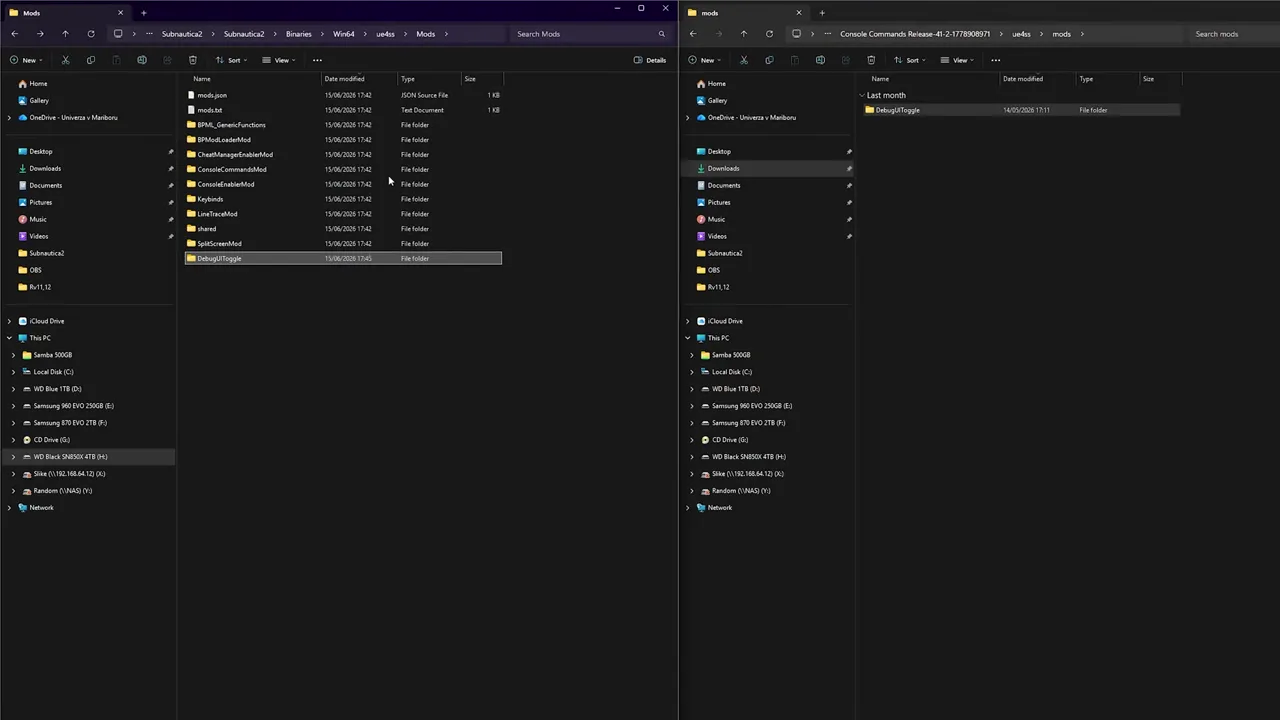
Pak mods work differently. They come as .pak, .utoc and .ucas files that go into Subnautica2\Content\Paks\~mods instead, so check the mod page to see which kind you have.
Launch the game every few mods instead of installing a whole pile at once. If something breaks, you know which mod caused it, and testing on a new save keeps your main run safe.
Press F7 in game to open the Cheat Toggles menu, then use the arrow keys to move, Enter to open a category or switch a cheat, and Backspace to go back.
It has no-clip, fly, third person, god mode, unlimited oxygen, no hunger or thirst, free building and unlock all recipes, plus Tadpole cheats such as recalling it to you.
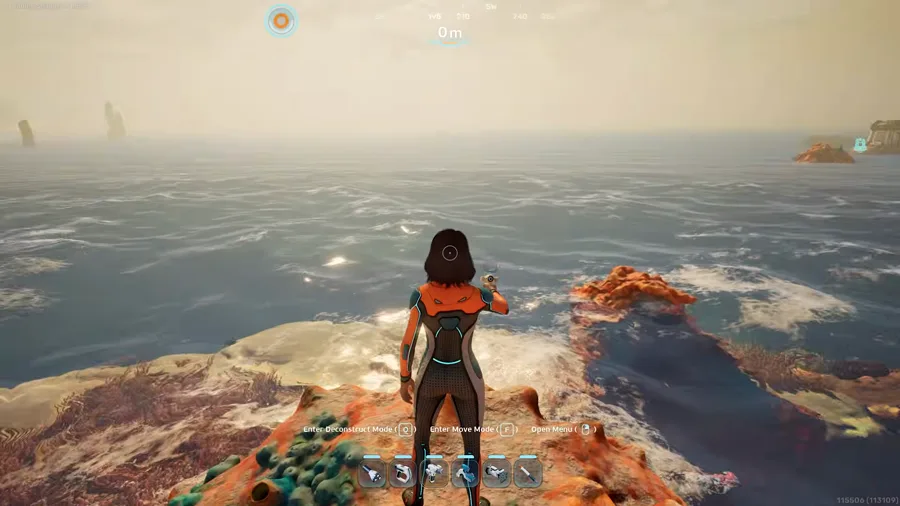
Note: In the video, these cheats sit in a "Mods" tab under Settings. That tab came from the Mod Settings mod, which its author removed from Nexus Mods in August 2026, so Cheat Toggles now uses its own F7 menu.
Unlock all recipes skips most of the story, so if you would rather play it normally, follow our Full Progression Guide: Early Access Walkthrough instead.
Console Commands opens the developer console when you press F2. Some commands do nothing yet because the game is in Early Access, but the spawn command works, and we used it to spawn a Leviathan right next to us.
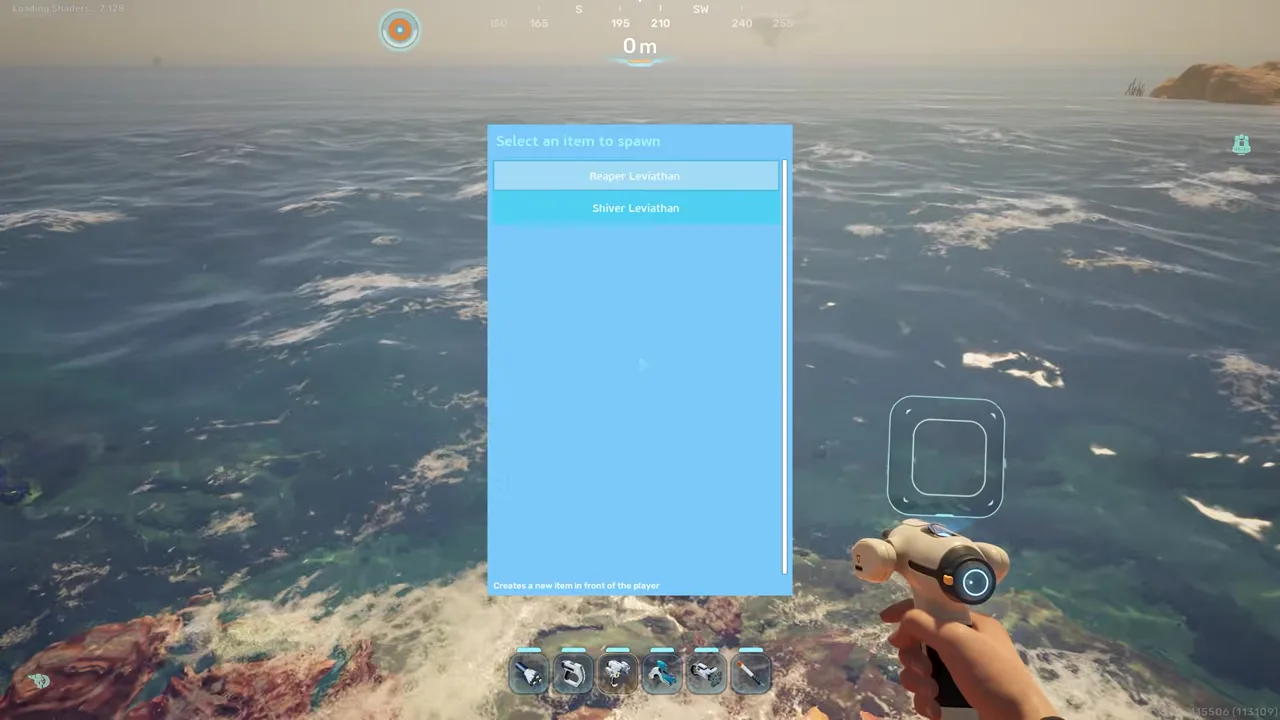
Console Commands has not been updated since May 2026, and some players report that F2 does nothing on newer versions of the game. If that happens to you, Cheat Toggles covers most of the same cheats.
Install Simple Minimap and Killable Creatures the same way as the others. The minimap then sits in the top right corner while you play. Press M to open the large map and H to hide the minimap.
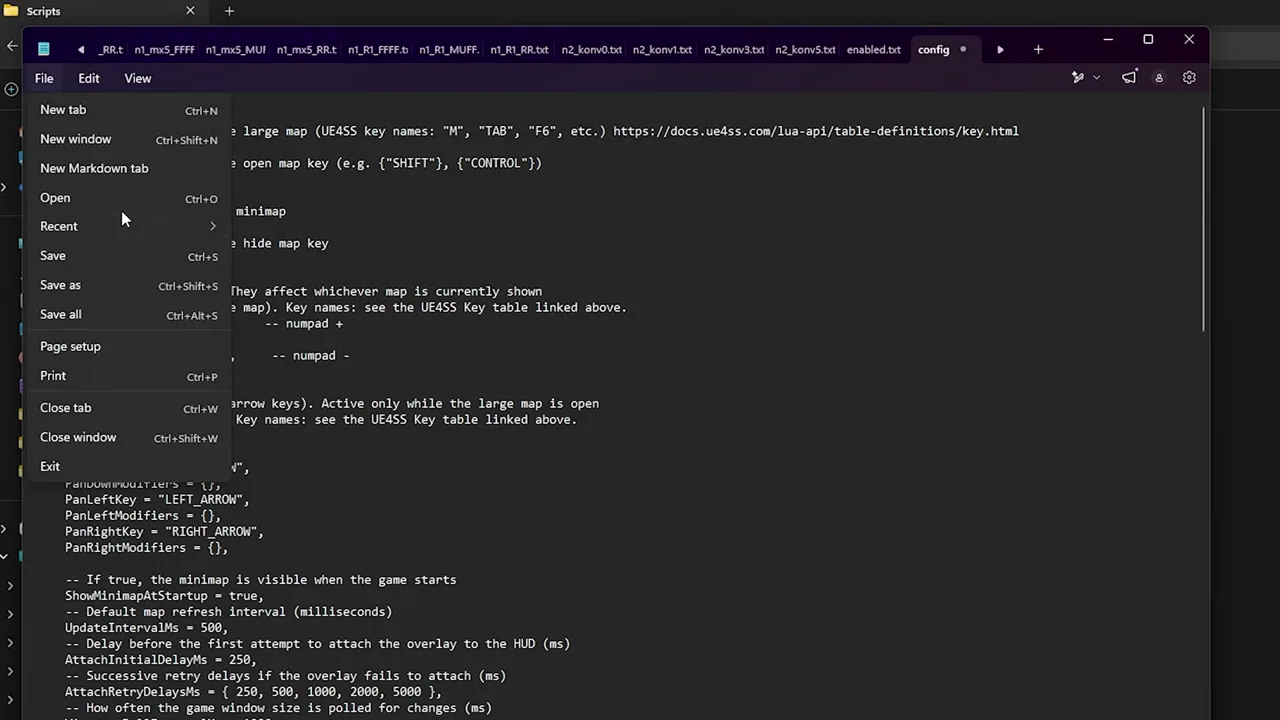
Simple Minimap keeps its settings in config.lua inside its folder (ue4ss\Mods\SubnauticaMapMod). Open it with Notepad and change a line like OpenMapKey to rebind a key. We set it to Q, saved the file, and the map key was rebound.
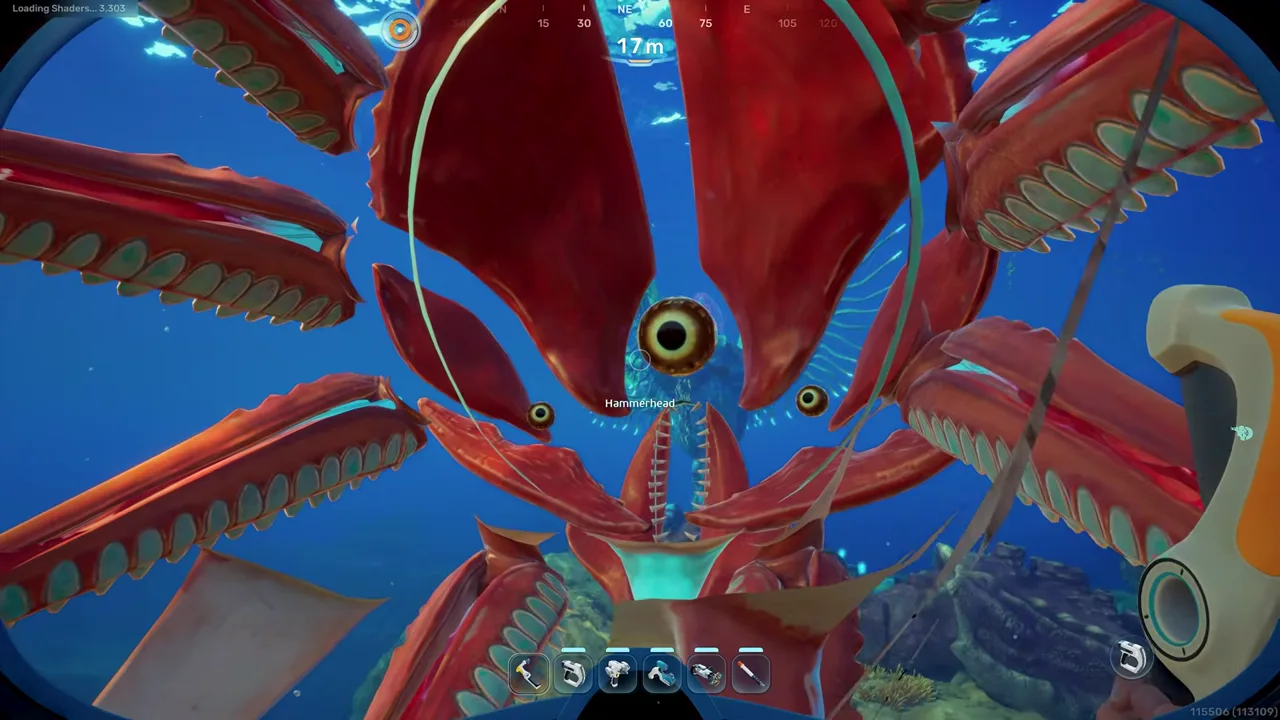
Killable Creatures gives every creature health: the multitool deals 20 damage per hit and the Sonic Resonator 50 at close range, which was enough for us to take down a Hammerhead.
It can be unreliable, though. In our testing it needed a new save to work, and it has not been updated since May 2026 (version 1.1).
If it does nothing, test it alone with your other mods taken out, and check that its enabled.txt file sits in its scripts folder.
You no longer need a mod to change your field of view. The 1.1 Adaptive Measures update in July 2026 added a FOV slider to the game's own Settings, so the old FOV Slider mod (which also needed Mod Settings) is not worth installing.
Co-op has one host and up to three friends. Unless a mod says it is host-only, assume everyone needs the same mods in the same versions, and only use cheats when the whole group agrees.
To remove one mod, delete its folder from ue4ss\Mods, or move it somewhere else if you only want it off for a while.
To turn off every UE4SS mod at once, delete dwmapi.dll from Win64, and delete the ue4ss folder too to go fully vanilla. We cut both to the desktop instead, so the whole modded setup is one paste away.
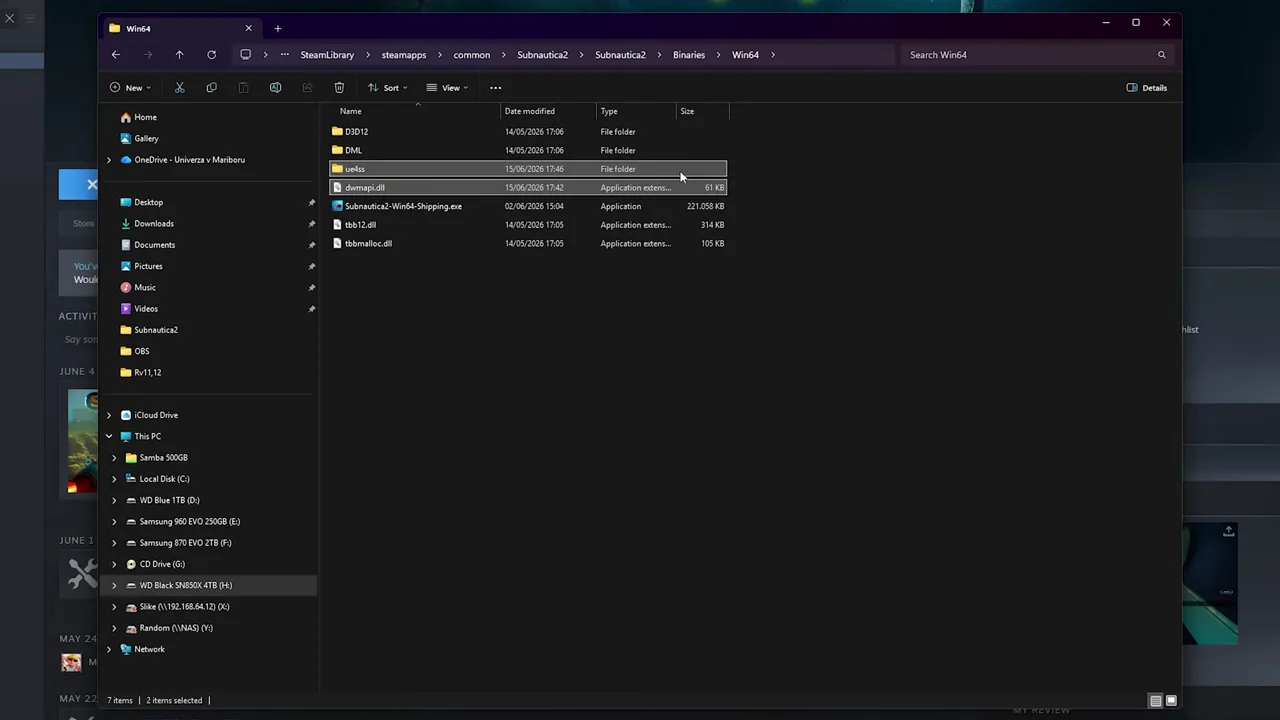
If Subnautica 2 crashes on launch right after a patch, outdated mods are the most likely cause. Remove your mods, delete dwmapi.dll from Win64 and clear any leftover files from Content\Paks\~mods, then launch again.
Put each mod back only after its author releases an update. The next big update, Early Access 2, is planned for December 2026 and will most likely break mods again.
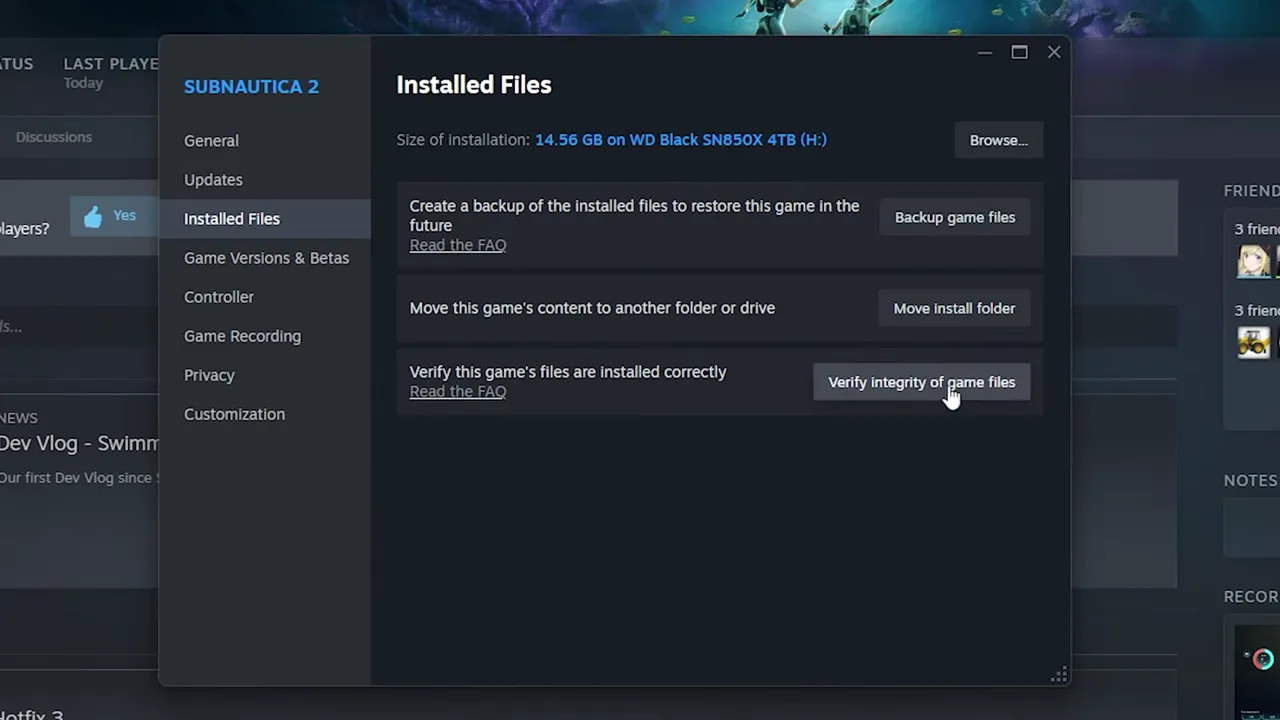
If the game still misbehaves, right-click it in Steam, open "Properties", go to "Installed Files" and click "Verify integrity of game files". Steam replaces broken or changed files without touching your saves.
Every Blackbox in Subnautica 2 Early Access, from Anita by the lifepod to Zip 2 at the Metal Farms. Each one with its distance, depth, what you need to reach it and what it unlocks.
The complete Subnautica 2 Early Access progression walkthrough: every ore, every Blackbox, all the essential tools, and the final power plant sequence.